Kwerft
Pre-betav0.4.0 stable · v0.6.0-rc.9 brings backups and upgrades →

Rent a Hetzner server, run one script, manage containers from the browser.

Kwerft installs a hardened Kubernetes on a fresh Ubuntu server — Hetzner Cloud or dedicated — and puts a console on top. Deploy images or Git repositories, run jobs, watch it all, and manage domains, networks, nodes and people without writing YAML.

curl -fsSL https://kwerft.dev/install.sh | sudo bash -s -- \
  --domain ops.example.com --email ops@example.com --yes
Get started Read the docsUbuntu on any Hetzner server · 8 GB RAM recommended
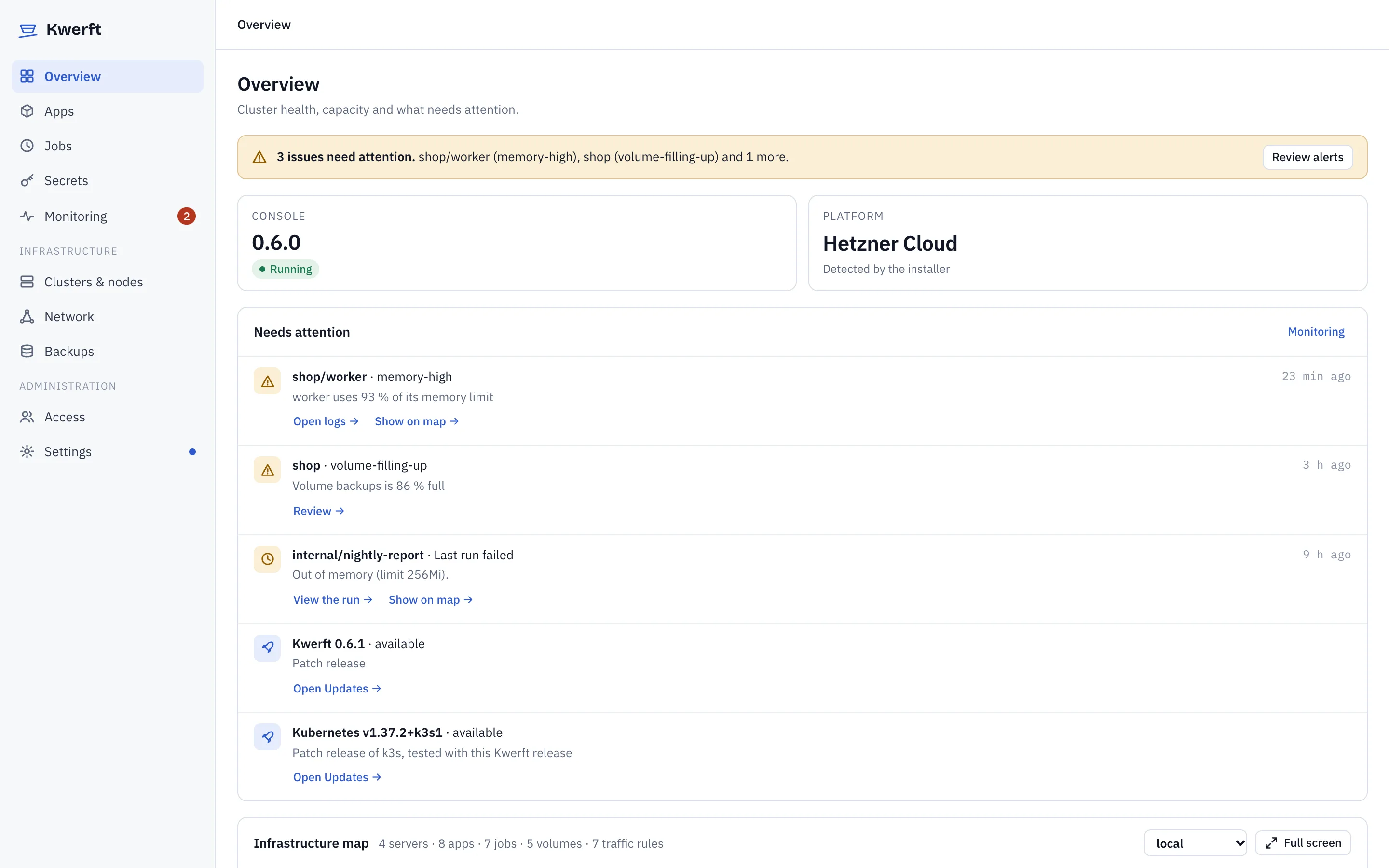
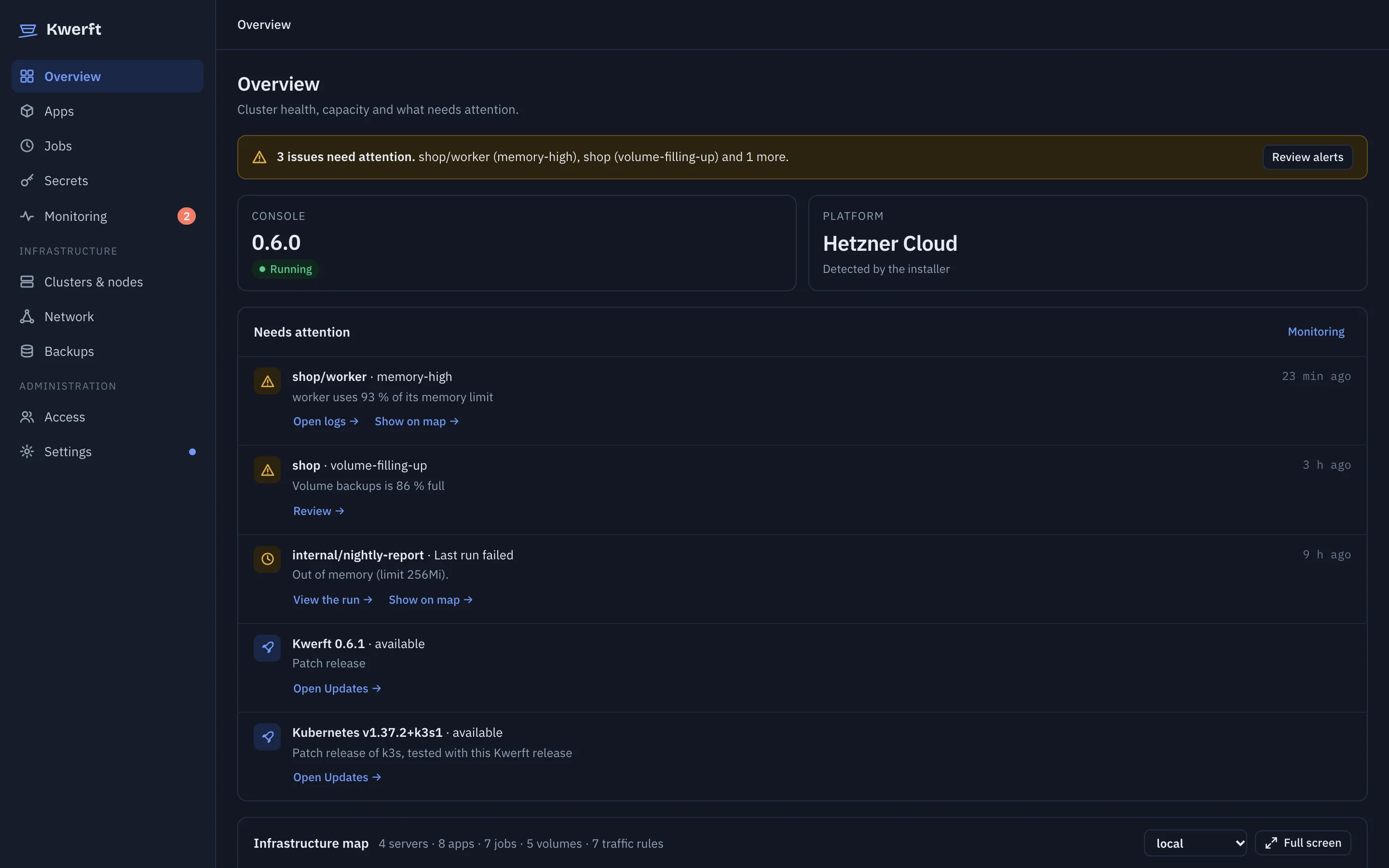
Cluster overview with alerts, a job that ran out of memory, available updates and the infrastructure mapCluster overview with alerts, a job that ran out of memory, available updates and the infrastructure map
Bare server to an app on HTTPS
7 min
Git push to live
~50 s
Crash loop to alert on your phone
57 s
Memory the platform uses
~2.5 GB

Measured on Hetzner Cloud servers during development, October 2026.

Install

One script, safe to run again

The installer checks the server, locks down the host firewall, installs k3s, Cilium, Traefik, cert-manager and monitoring, then Kwerft itself. Every stage is idempotent: re-run the same command to repair or upgrade.

  1. Rent a server. Any Hetzner Cloud or dedicated server with Ubuntu 22.04, 24.04 or 26.04, amd64 or arm64.
  2. Run the script as root, with your domain — or without one, and Kwerft gives you a temporary sslip.io hostname.
  3. Open the console and paste the single-use setup token from the server to create the owner account.

Walk through it step by step →

Apps

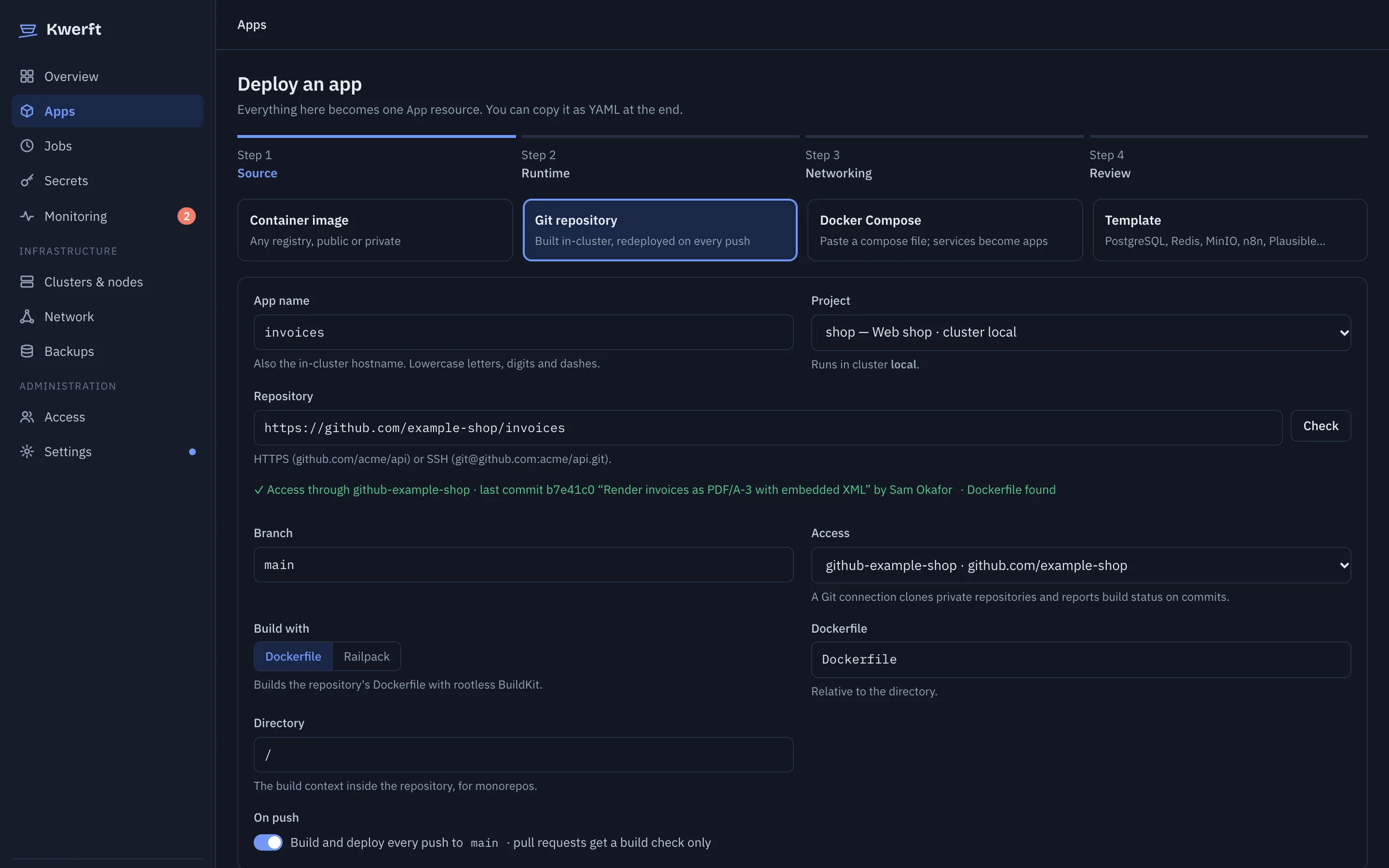
Ship an image or a Git repository

Pick a registry image, or connect GitHub, GitLab or Gitea and Kwerft builds your repository itself: from a Dockerfile, or with Railpack when there is none. Every app gets an HTTPS hostname, and every deploy is a revision you can roll back to.

  • Push to main, live about 50 seconds later, with the build log and a commit check on GitHub
  • Environment, volumes, replicas, CPU and memory in one form
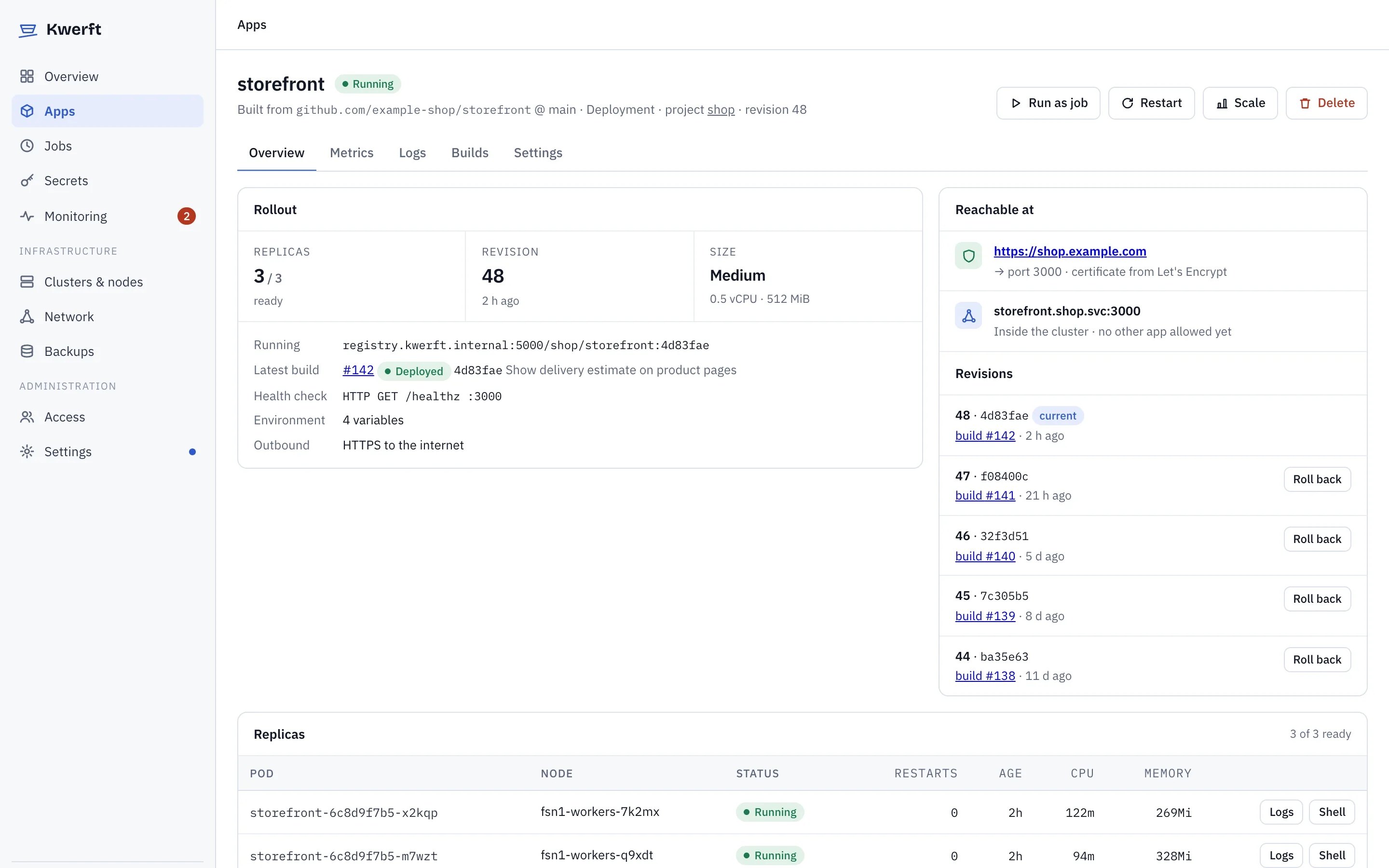
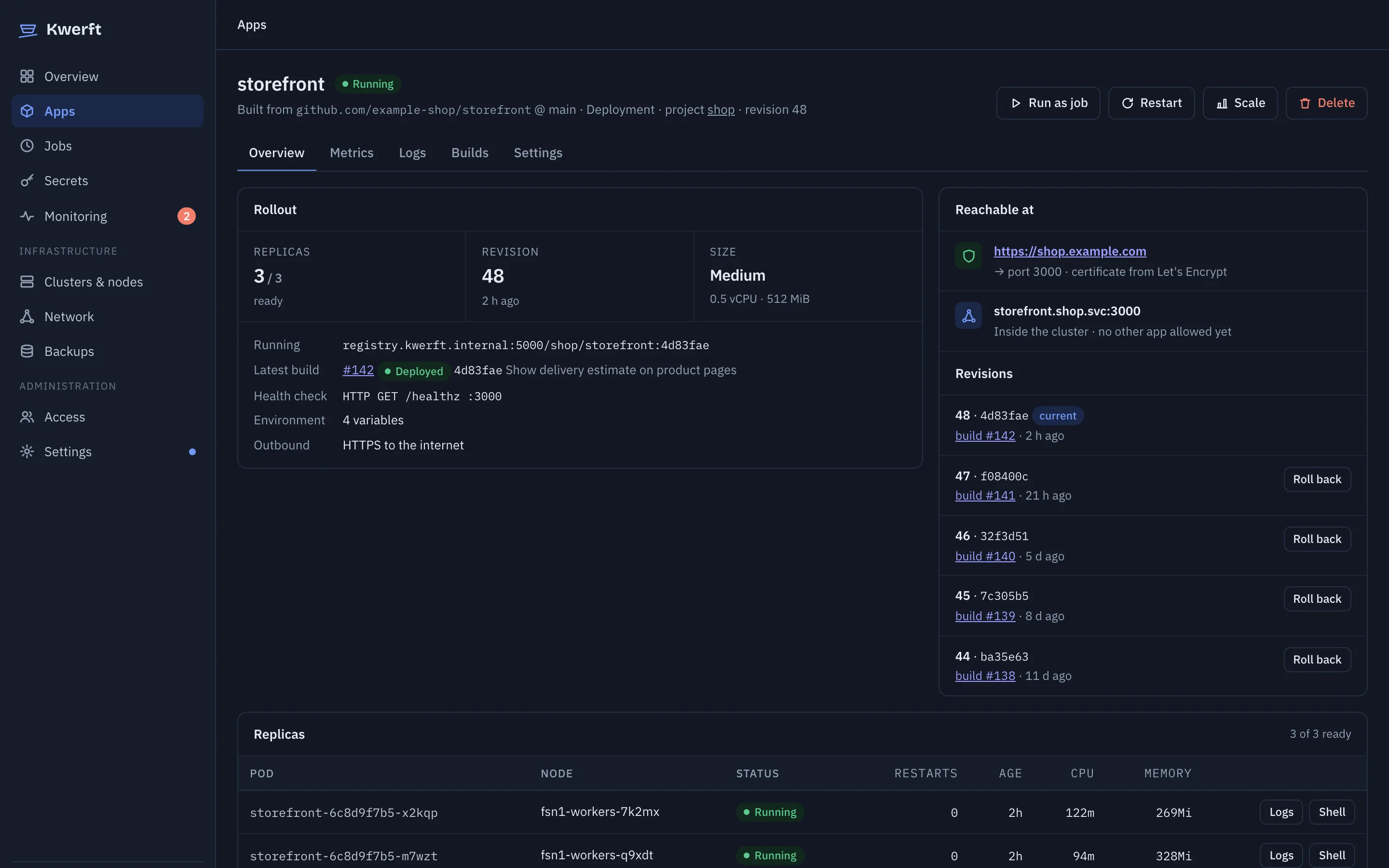
  • Rollouts start the new replica before the old one stops; restart, scale and roll back from the app page
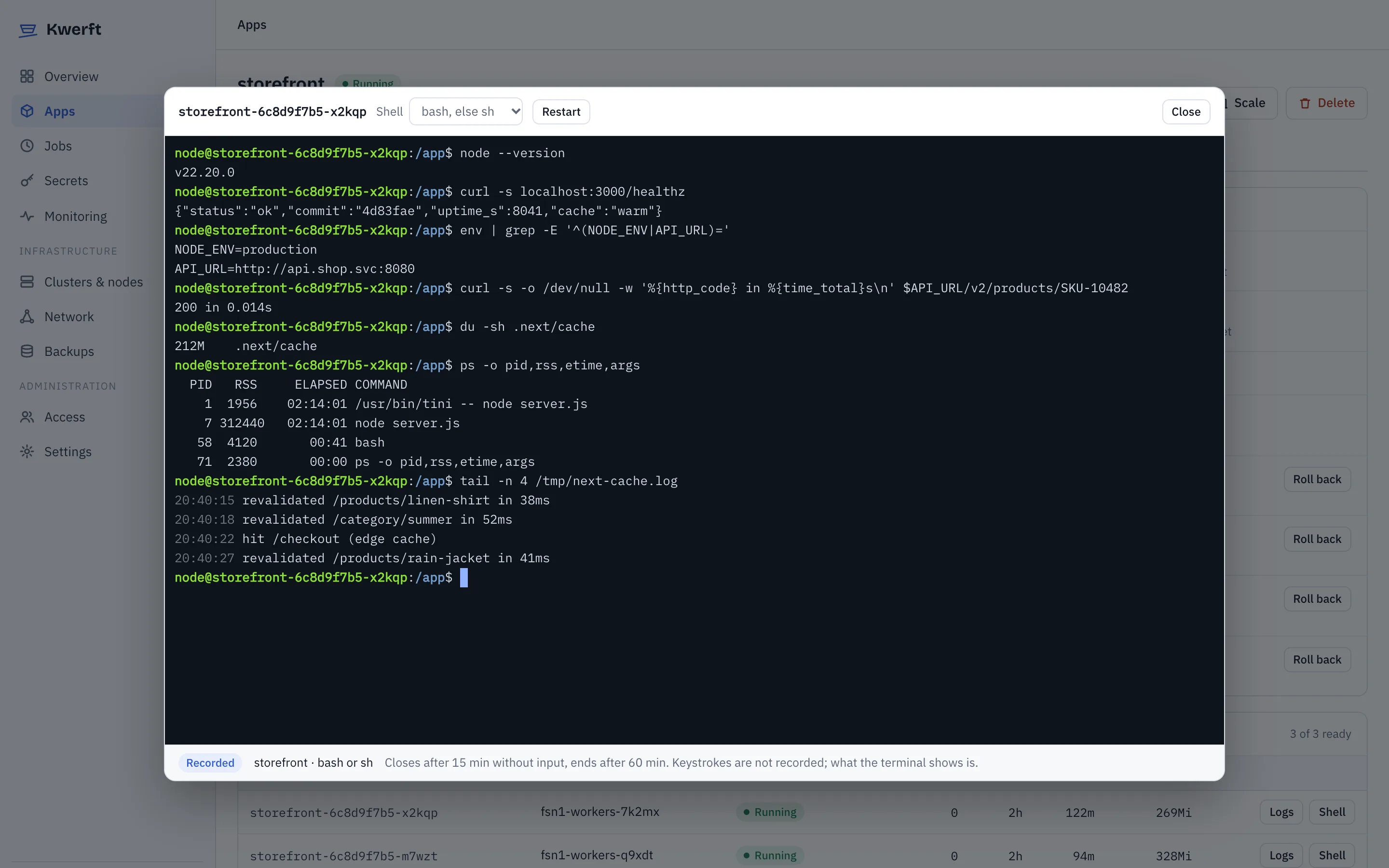
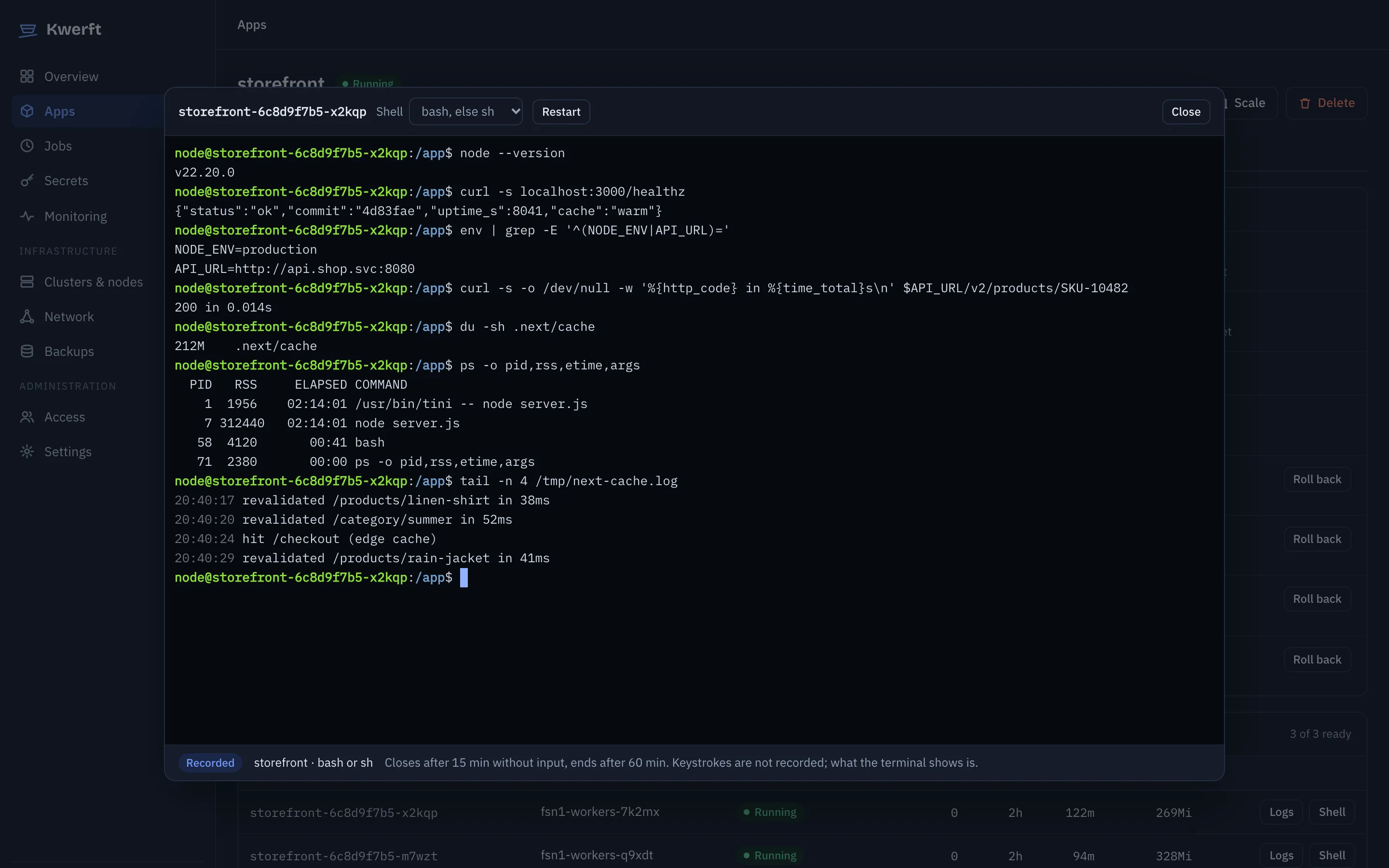
  • Live logs and a shell in the browser, for apps and running jobs
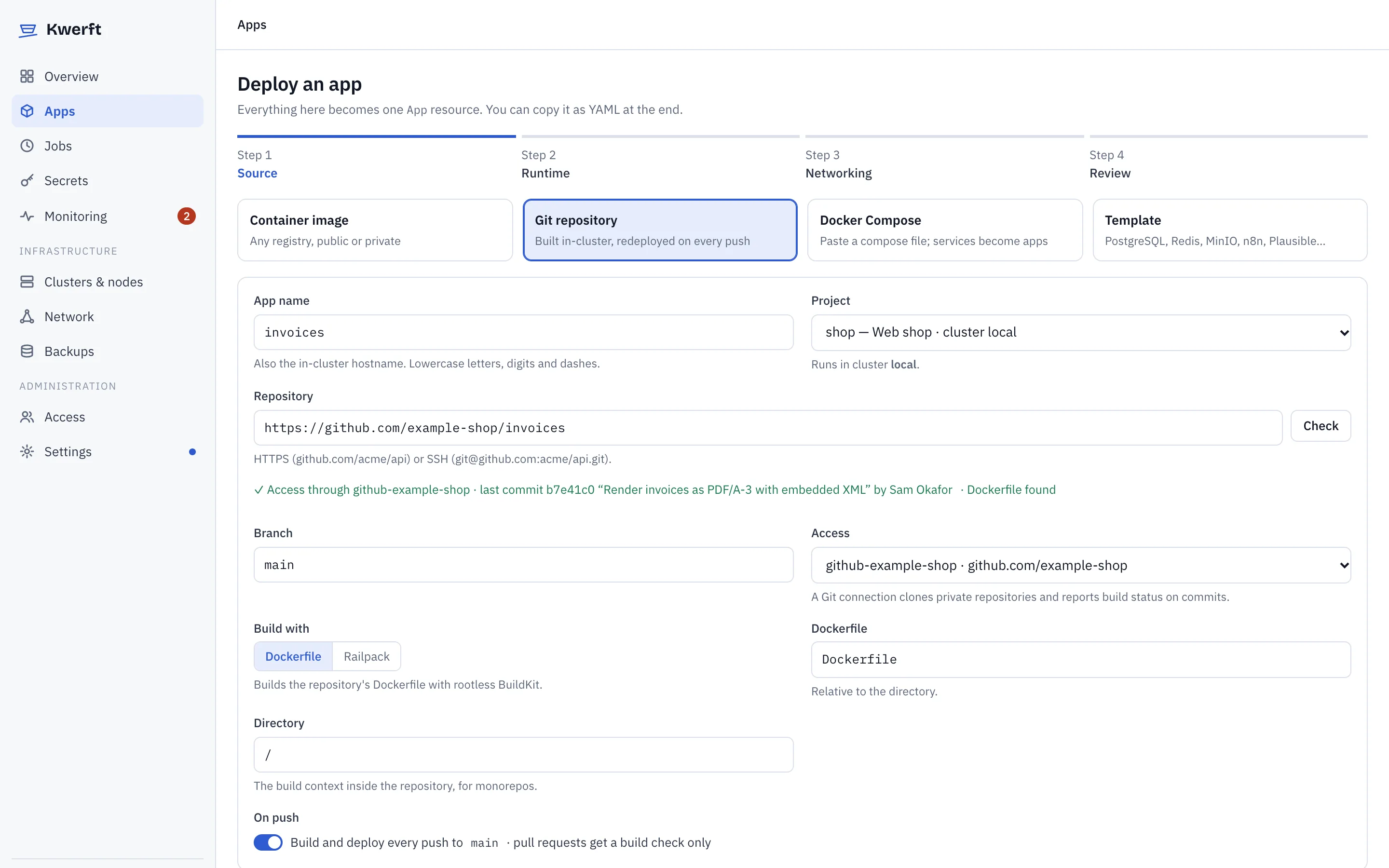
The Deploy an app form with a Git repository selectedThe Deploy an app form with a Git repository selected

Templates & Composev0.6

Bring a Compose file, or start from a template

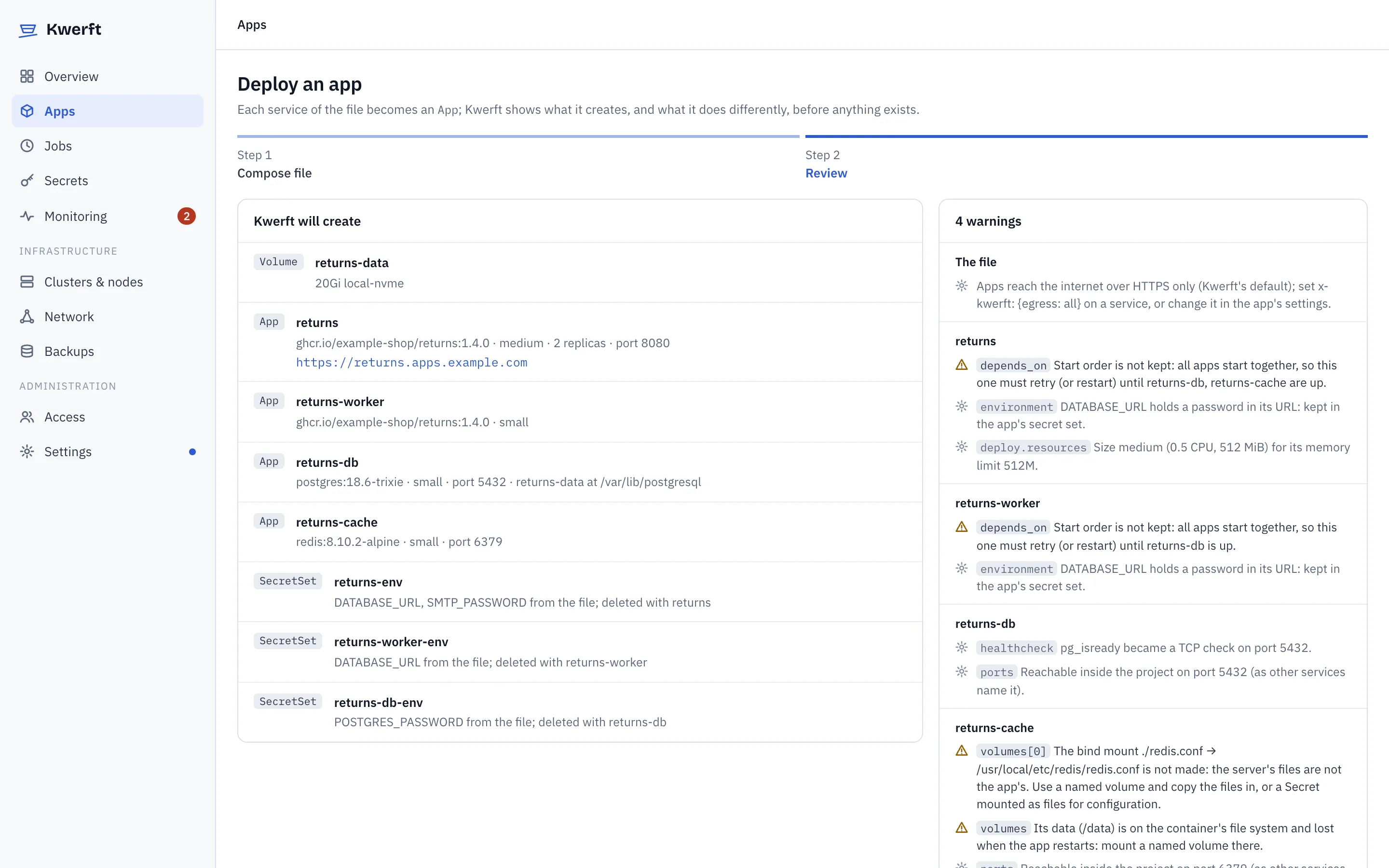
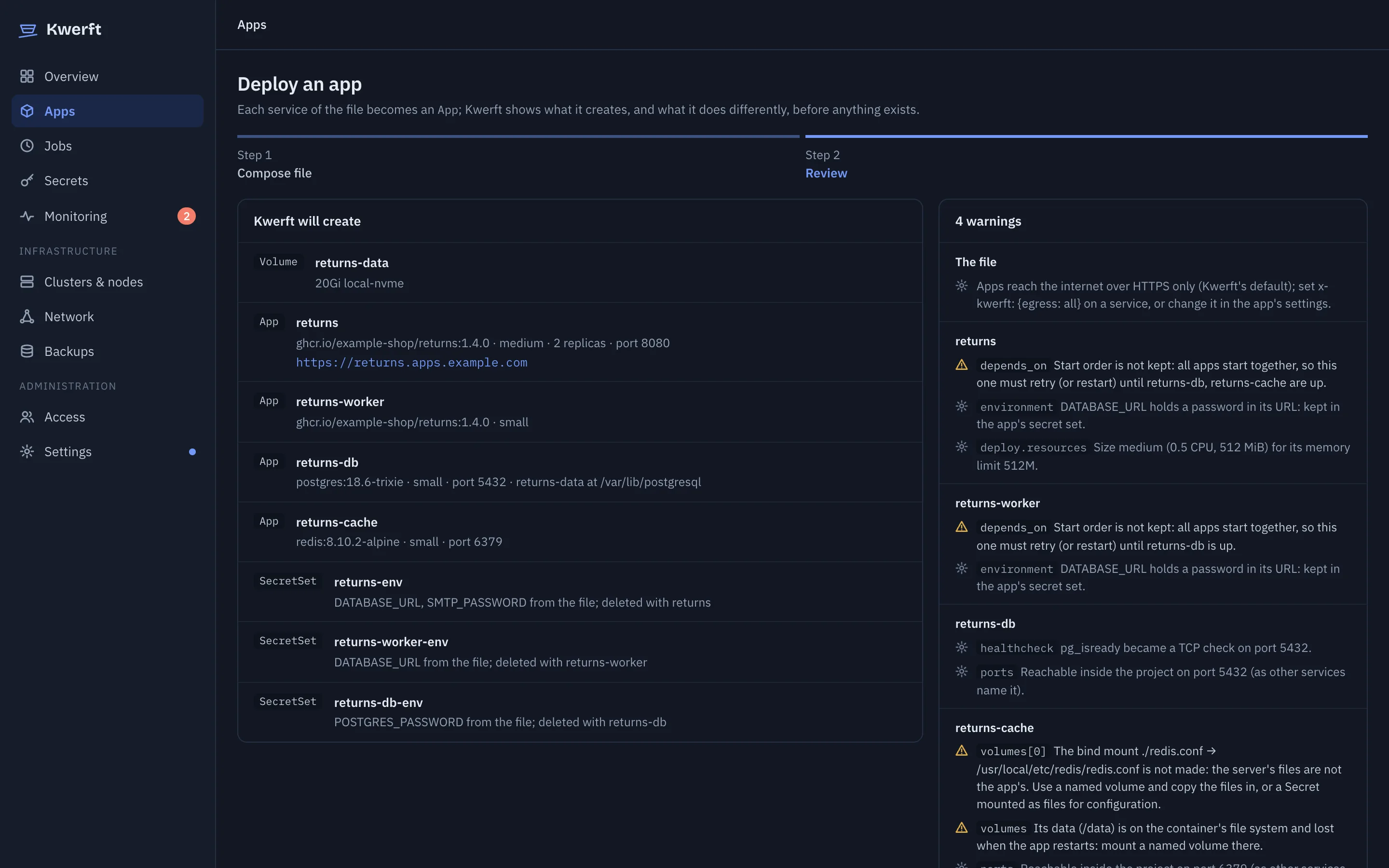
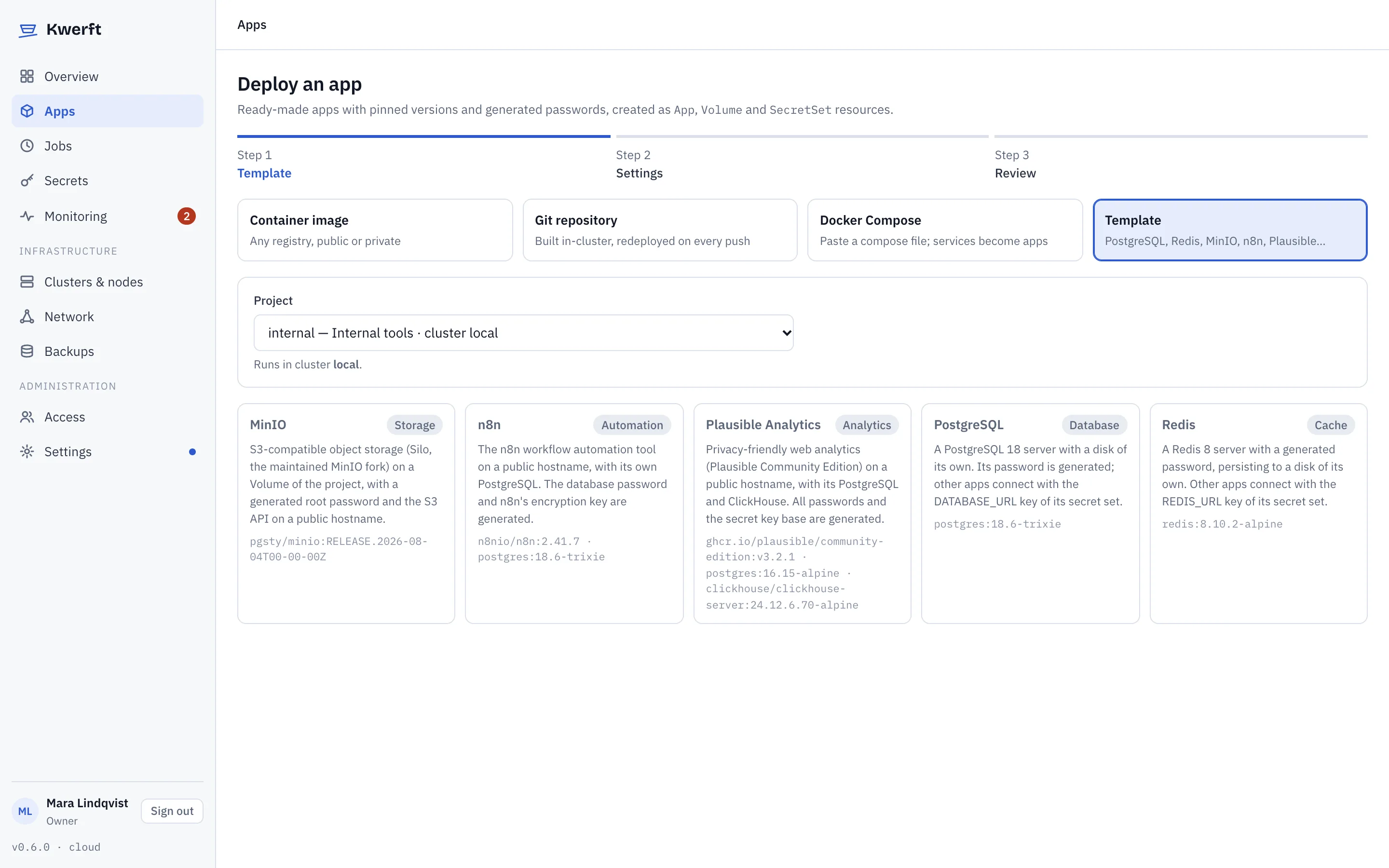
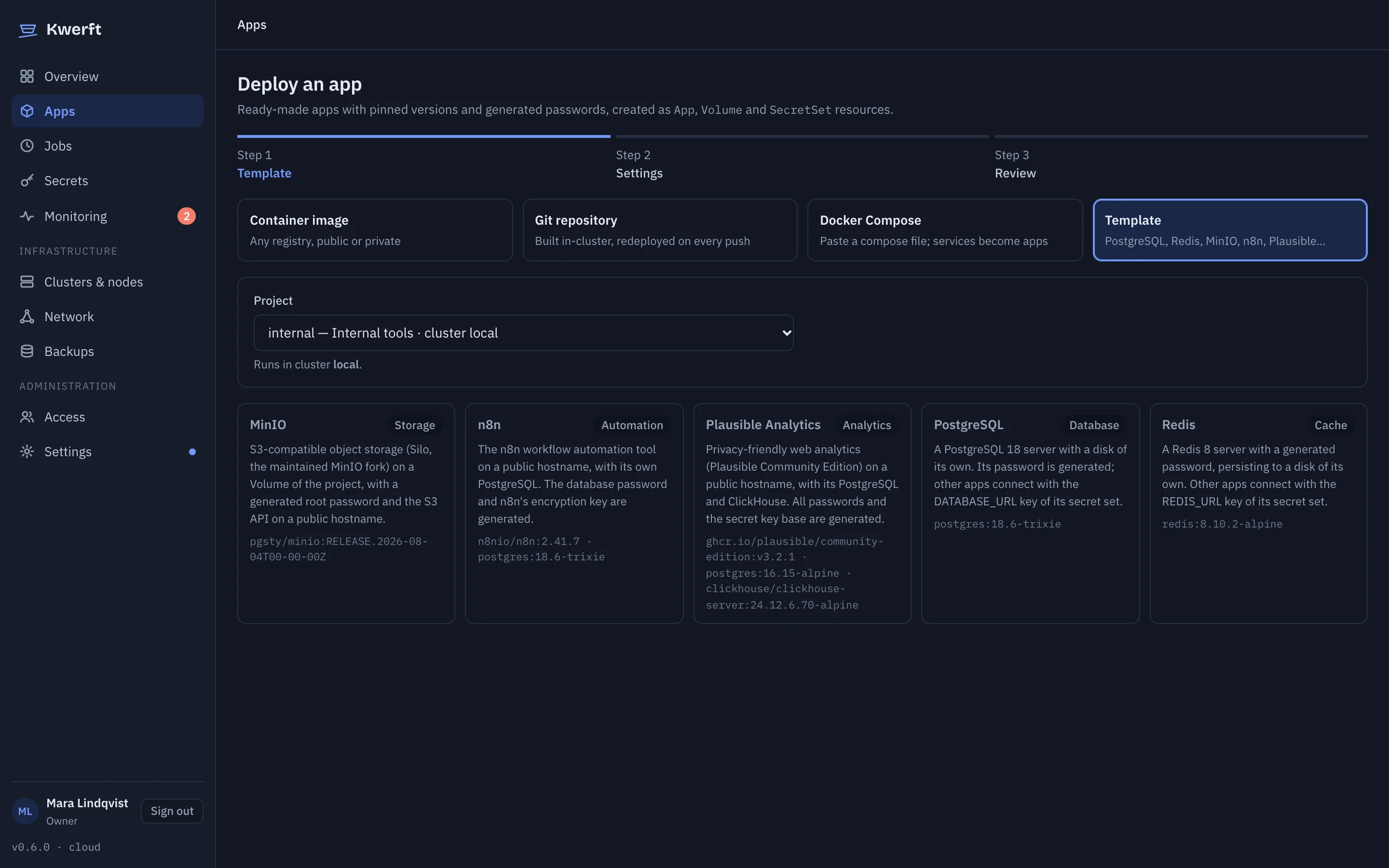
Paste a docker-compose.yml and every service becomes an app, every named volume a Volume. Or pick a ready-made app with pinned versions. Either way you review what Kwerft will create, and what it does differently from Compose, before anything exists.

  • Templates for PostgreSQL, Redis, MinIO, n8n and Plausible Analytics, with generated passwords
  • Published HTTP ports get an HTTPS hostname under your apps domain
  • Passwords from the file go into write-only secret sets, not plain environment
  • Warnings for what Compose does that Kubernetes doesn't, like start order and bind mounts
The review of an imported Compose file: four apps, a volume and three secret sets, with warnings per serviceThe review of an imported Compose file: four apps, a volume and three secret sets, with warnings per service

Infrastructure mapv0.6

See how everything connects

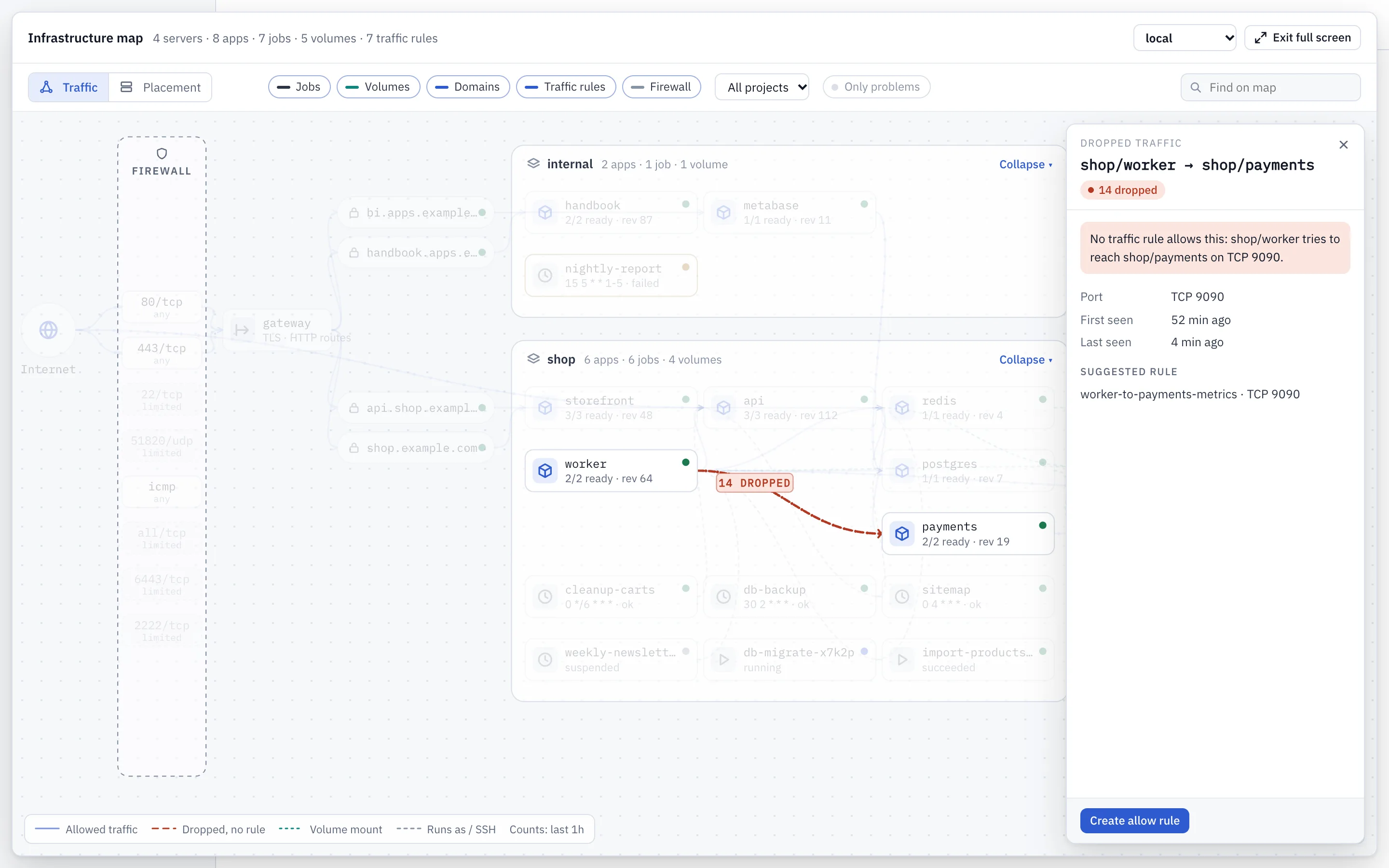
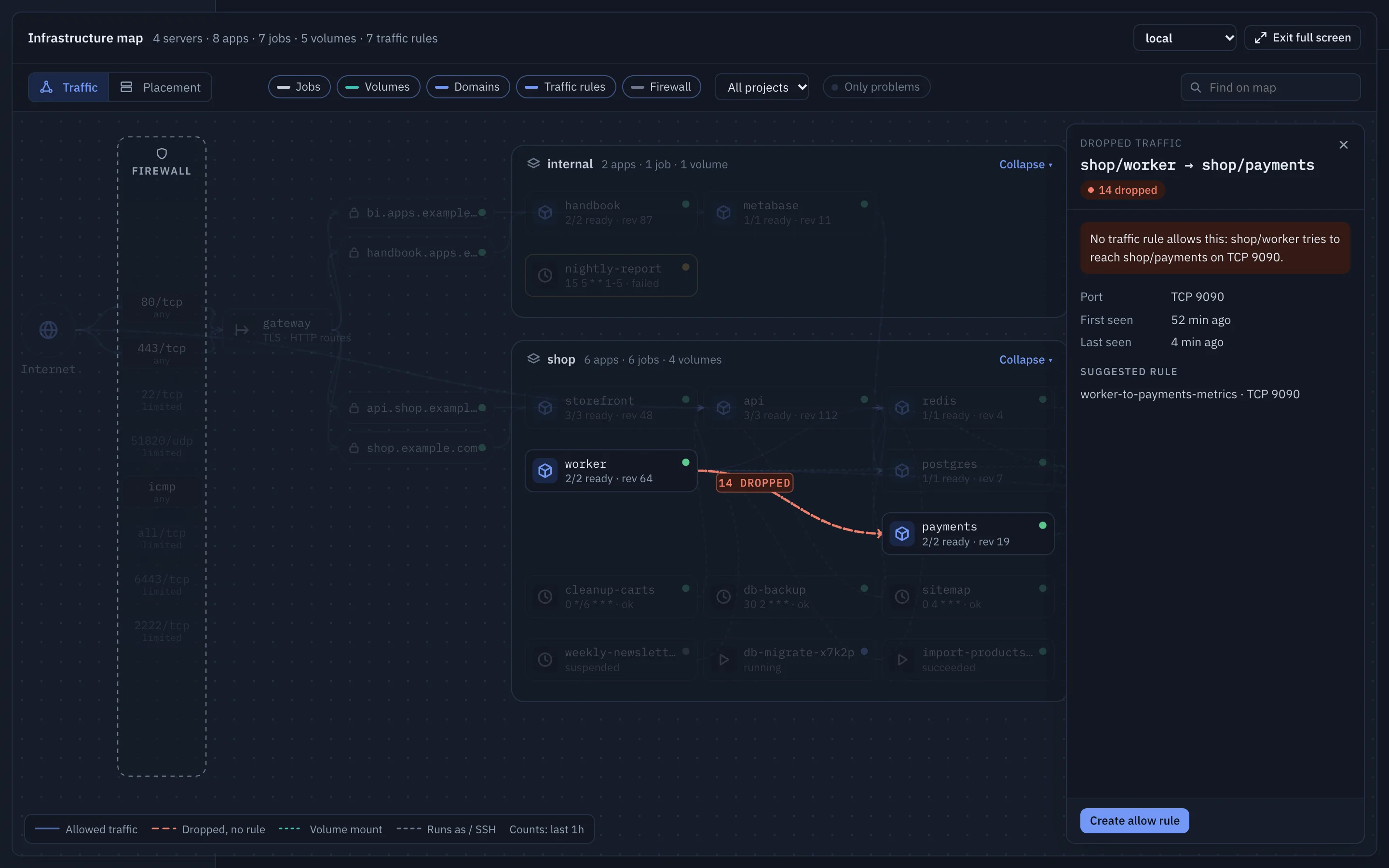
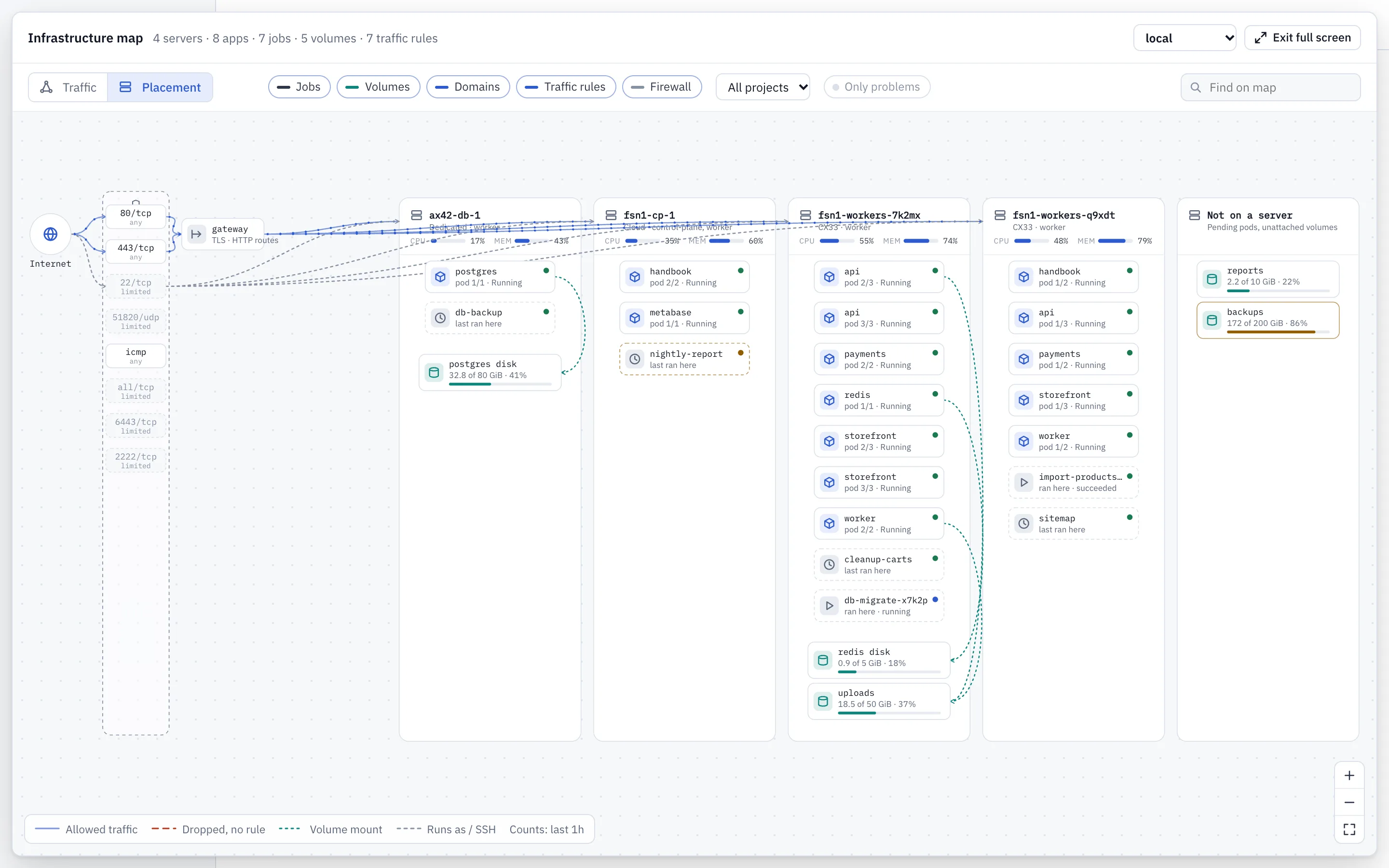
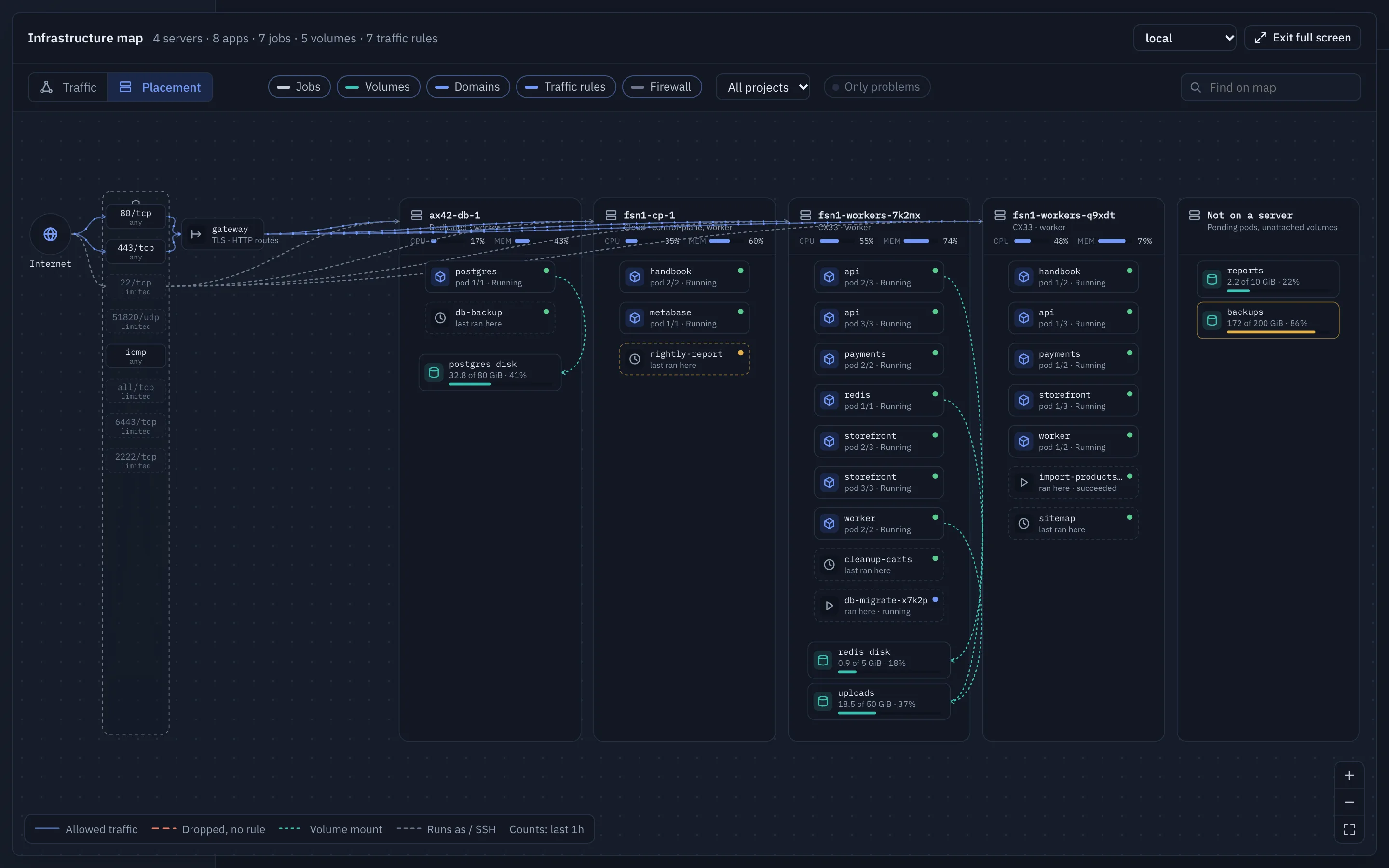
The Overview draws a live map of each cluster: from the internet through the firewall and your domains to the apps and their volumes, and on to what they reach. Switch to the Placement lens to see what runs on which server.

  • Traffic rules as arrows that move with the live Hubble counts; dropped connections in red
  • Click anything to see its inbound and outbound rules, with links to the pages that change them
  • "Show on map" next to every alert and failed run that is on the map
  • Filter by project, or show only what is failing
The infrastructure map's Traffic view with a dropped connection from worker to payments selected and explained in the side panelThe infrastructure map's Traffic view with a dropped connection from worker to payments selected and explained in the side panel

Jobs

One-off tasks and cron schedules, next to your services

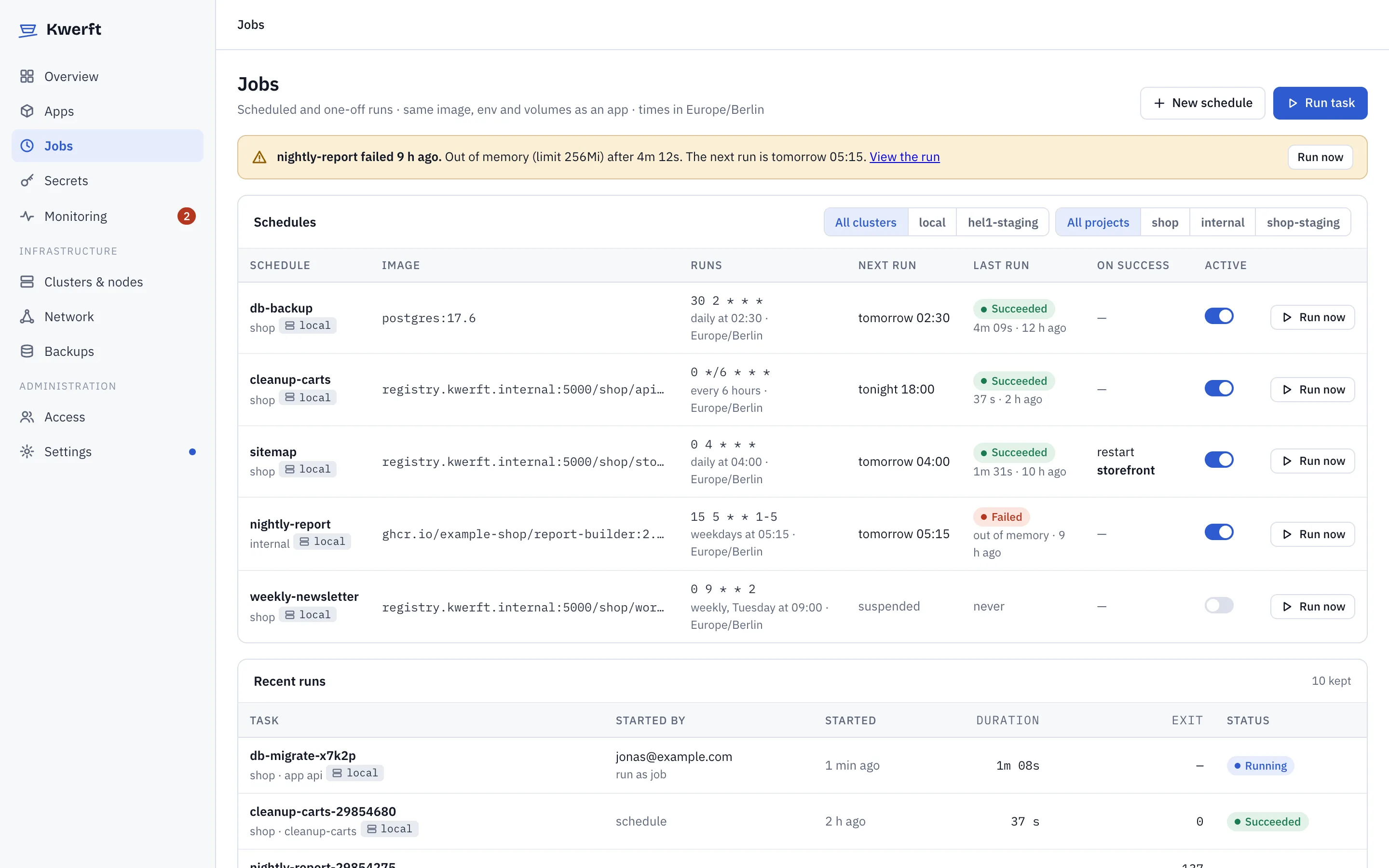
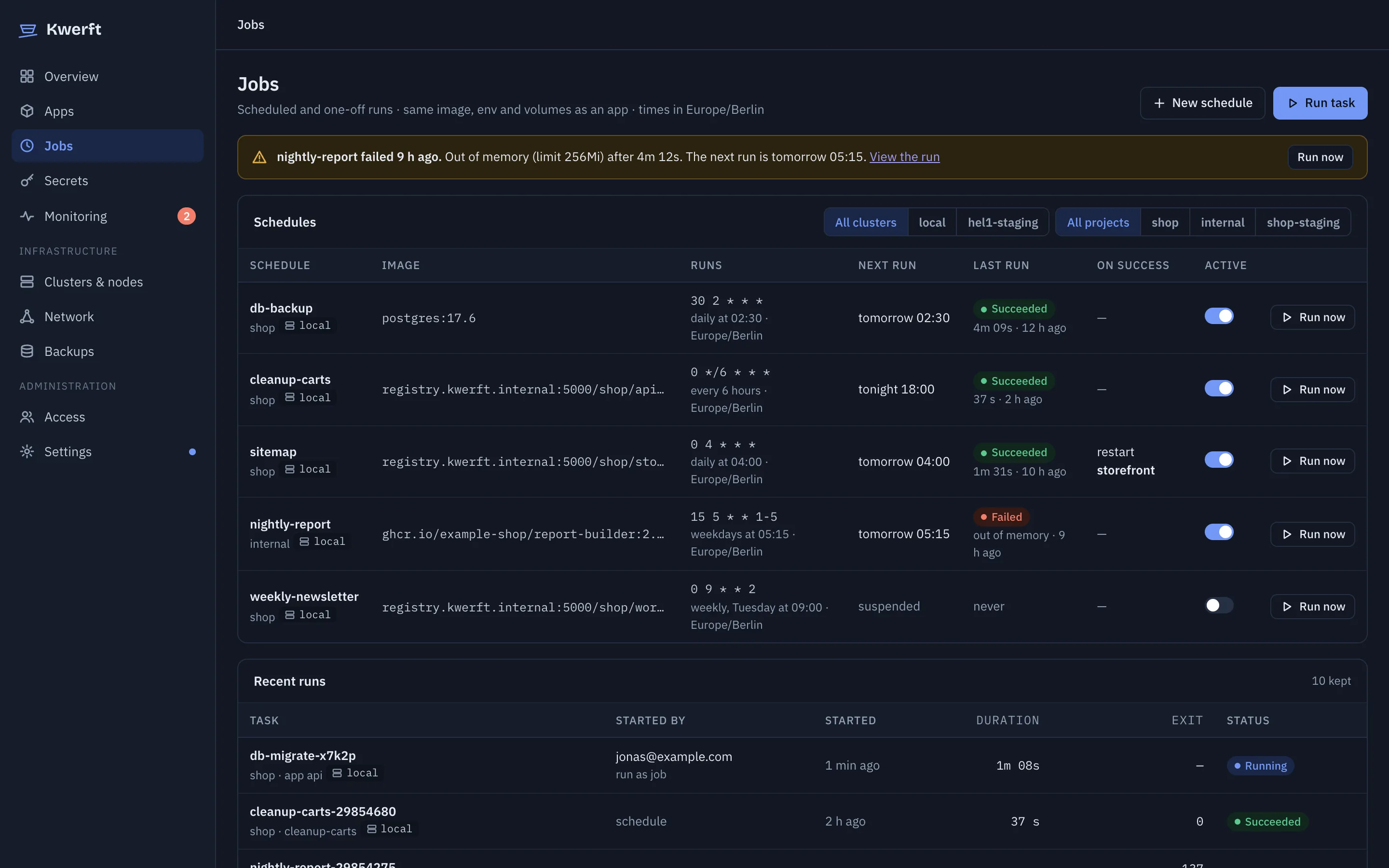
Real workloads are more than long-running services. Run a migration from an app's image with one click, put backups and reports on a schedule, and see every run with its exit code and logs.

  • Run now from an app or a schedule, with environment overrides like DRY_RUN=1
  • Time zones, concurrency policy, retries and timeouts per schedule
  • Restart an app after a job succeeds, without giving the job any permissions
  • Jobs run below apps in priority, so a busy server sheds batch work first
  • A job that runs out of memory says so, with its limit, instead of a bare exit code (v0.6)
Scheduled jobs and recent runs, with a nightly report stopped for running out of memoryScheduled jobs and recent runs, with a nightly report stopped for running out of memory
Secretsv0.6

Secrets you set once and nobody reads back
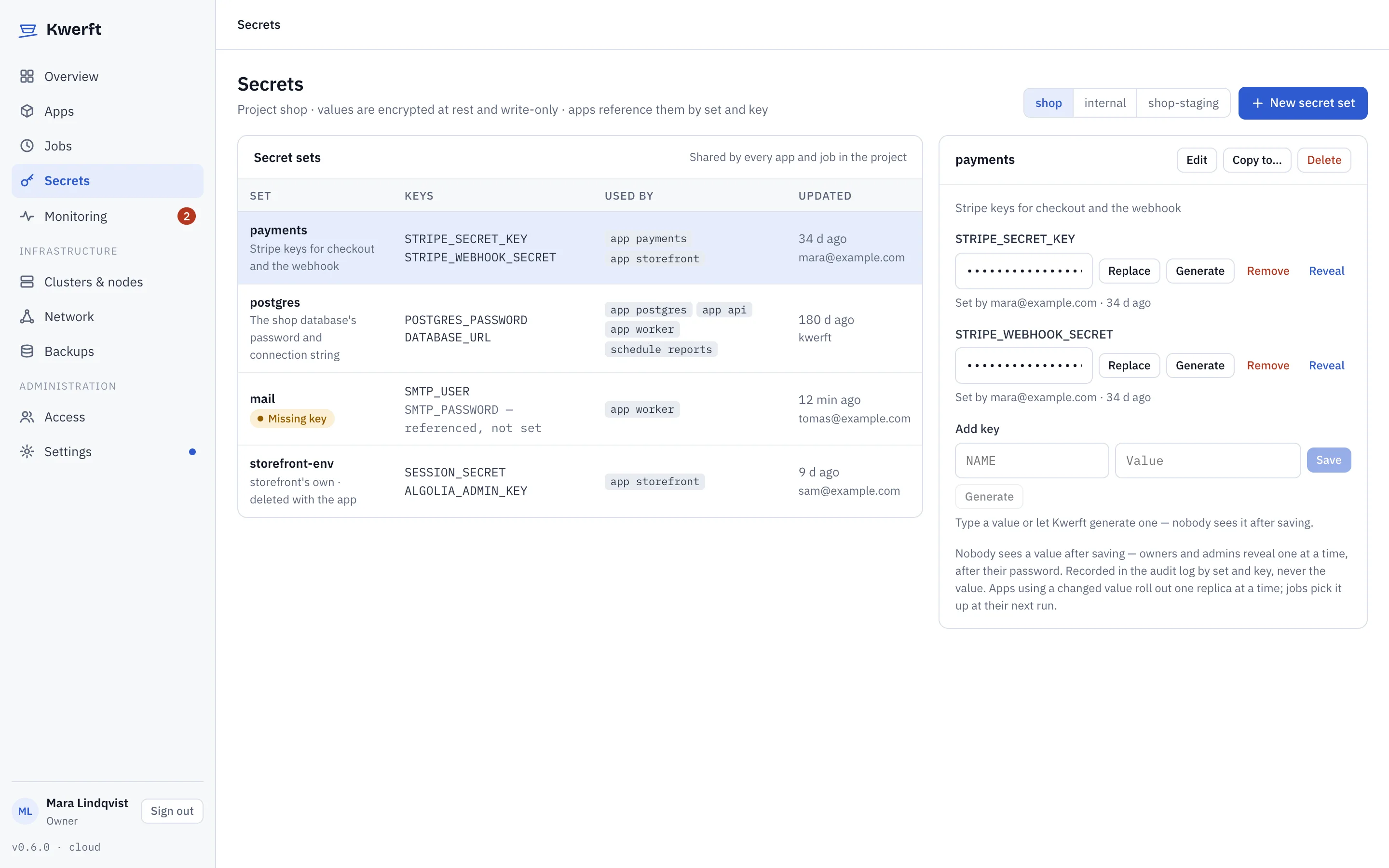
Keep API keys and passwords in secret sets per project. Values are write-only: anyone allowed can set, replace or generate them, nobody sees them again. Apps use them as environment variables or as files.

  • Generated passwords, and derived keys like a DATABASE_URL that follows its password
  • A changed value rolls out the apps that use it
  • An app waits for a missing key instead of crash-looping
  • Owners and admins can reveal one value at a time, with their password, and it's audited
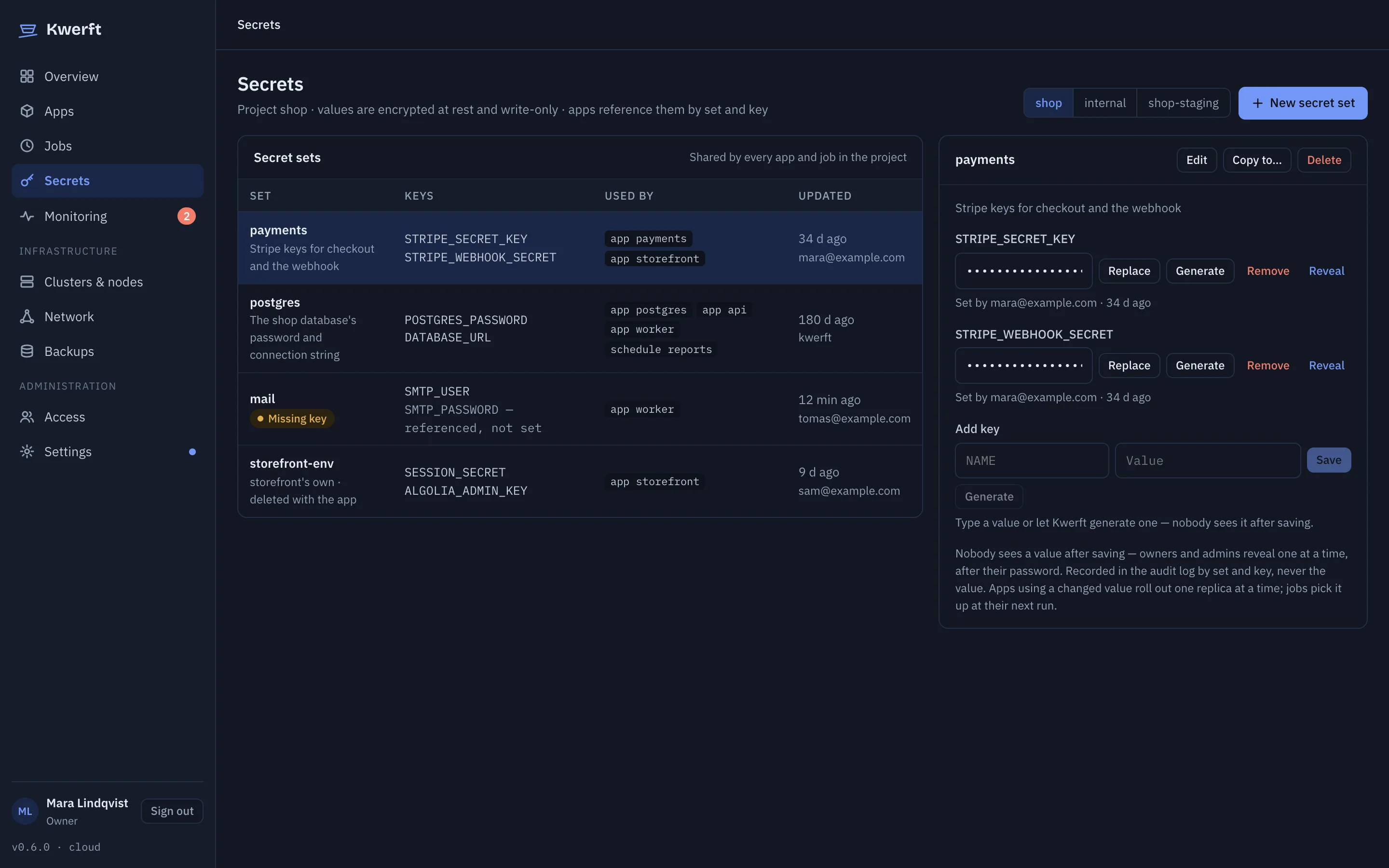
Secret sets of the shop project with their keys, who uses them and a missing keySecret sets of the shop project with their keys, who uses them and a missing key

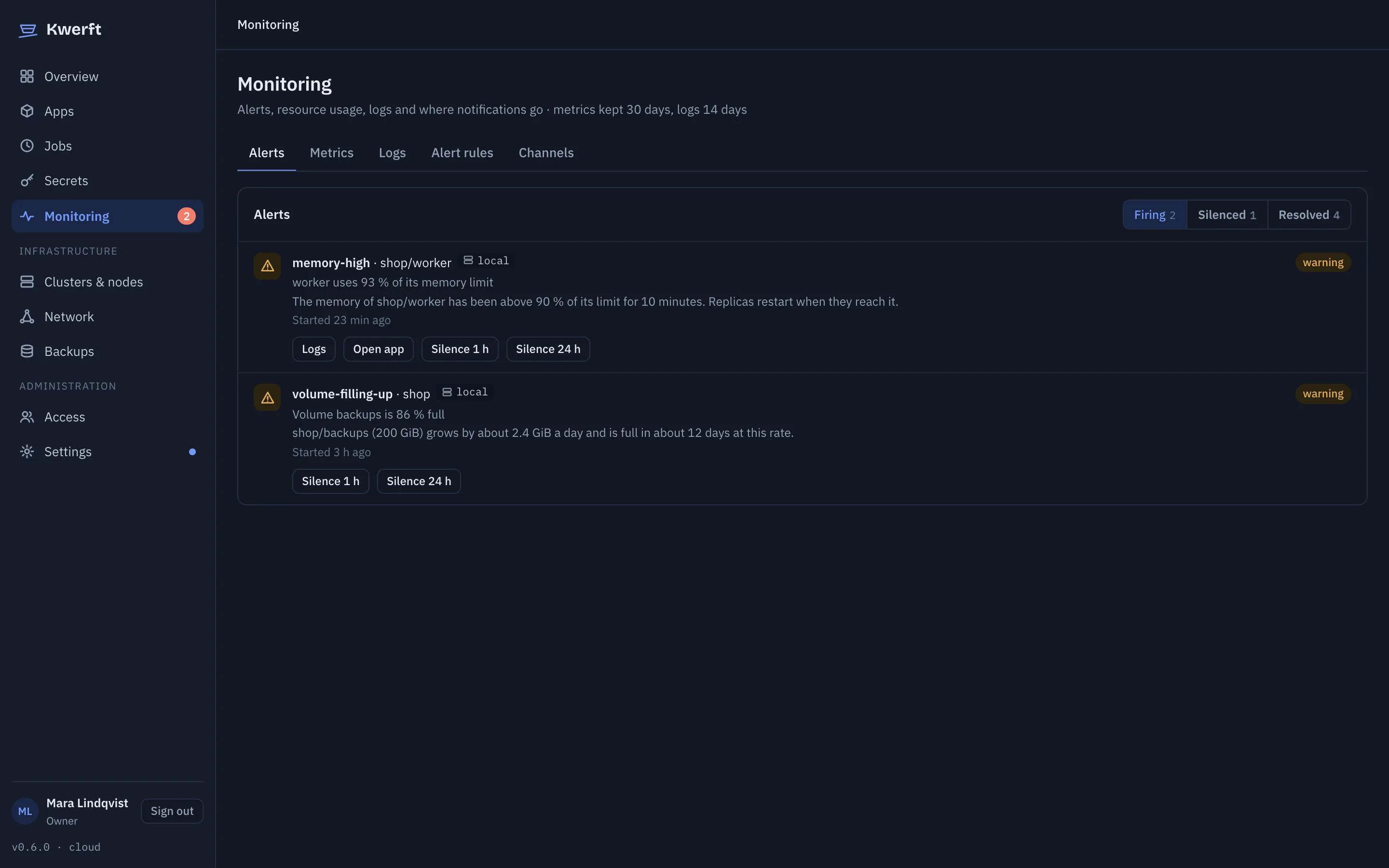
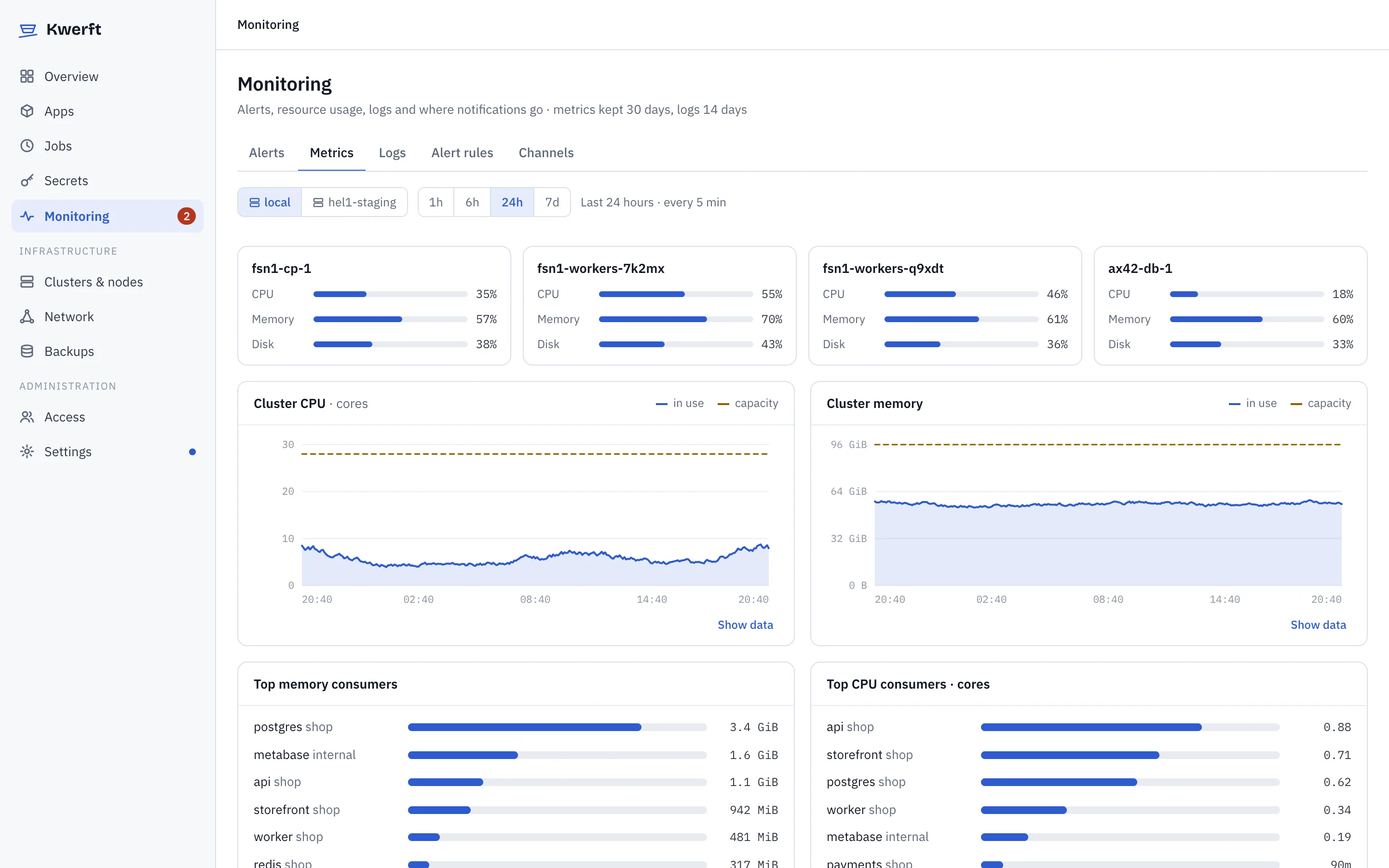
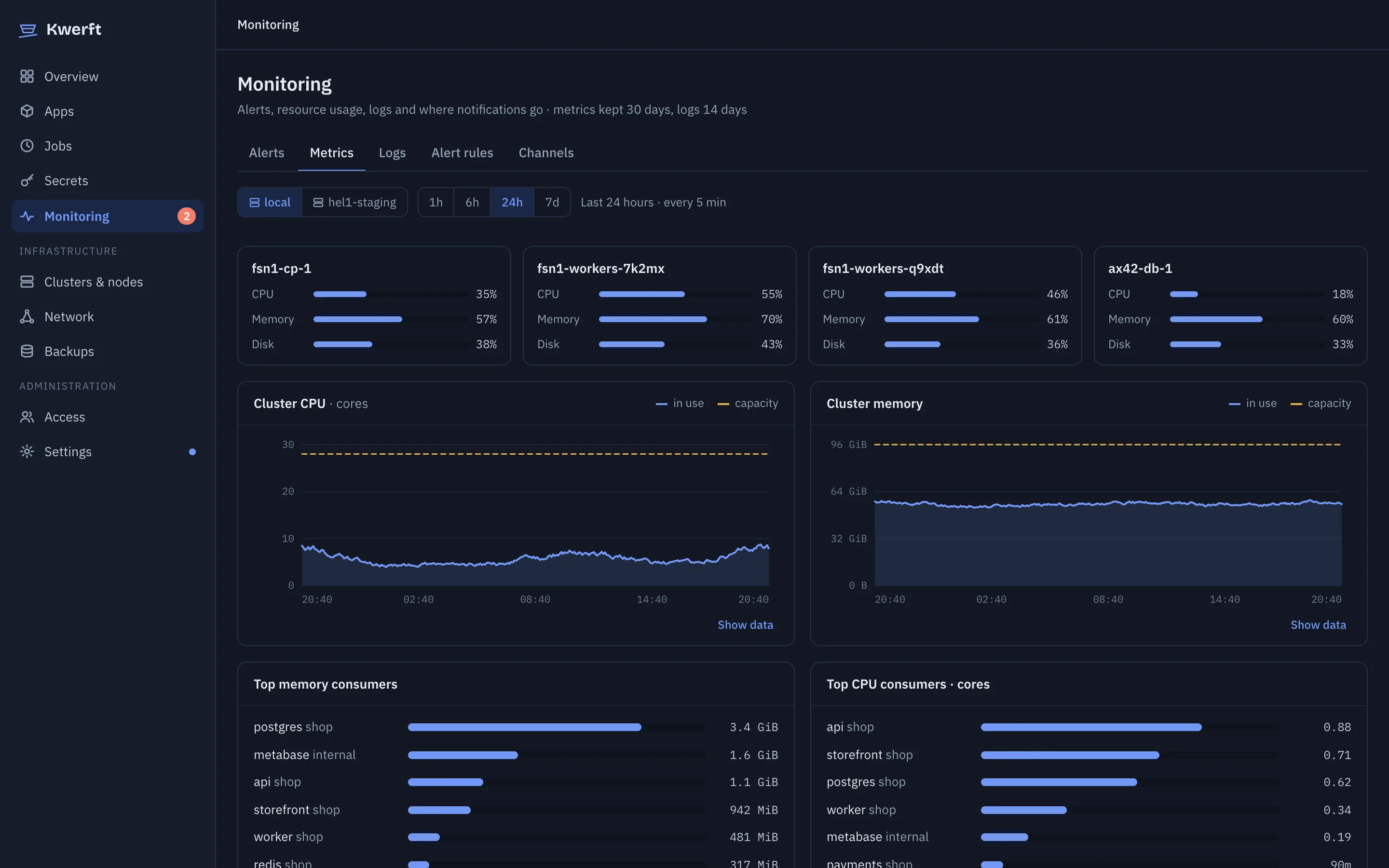
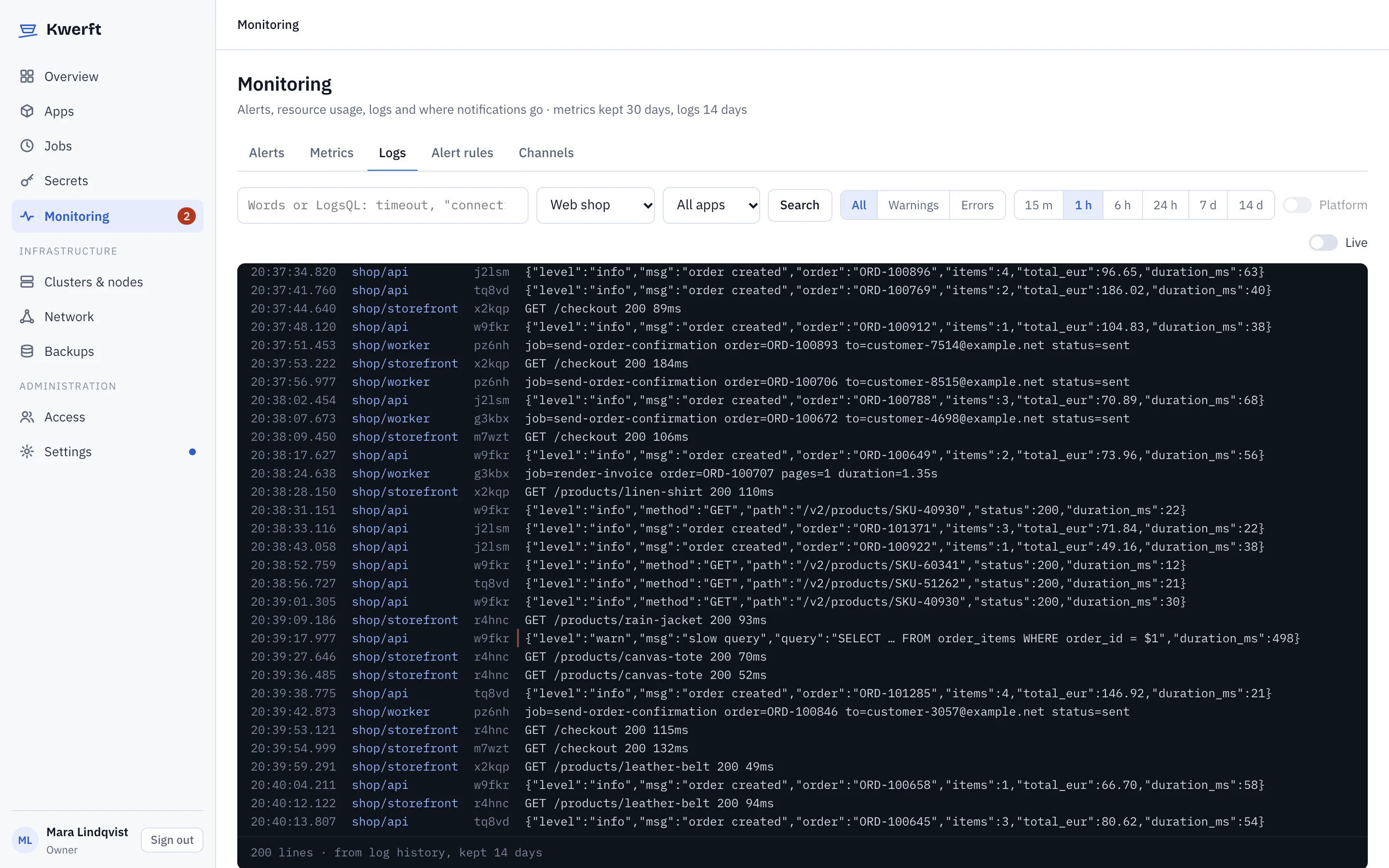
Monitoring

Metrics, logs and alerts are built in

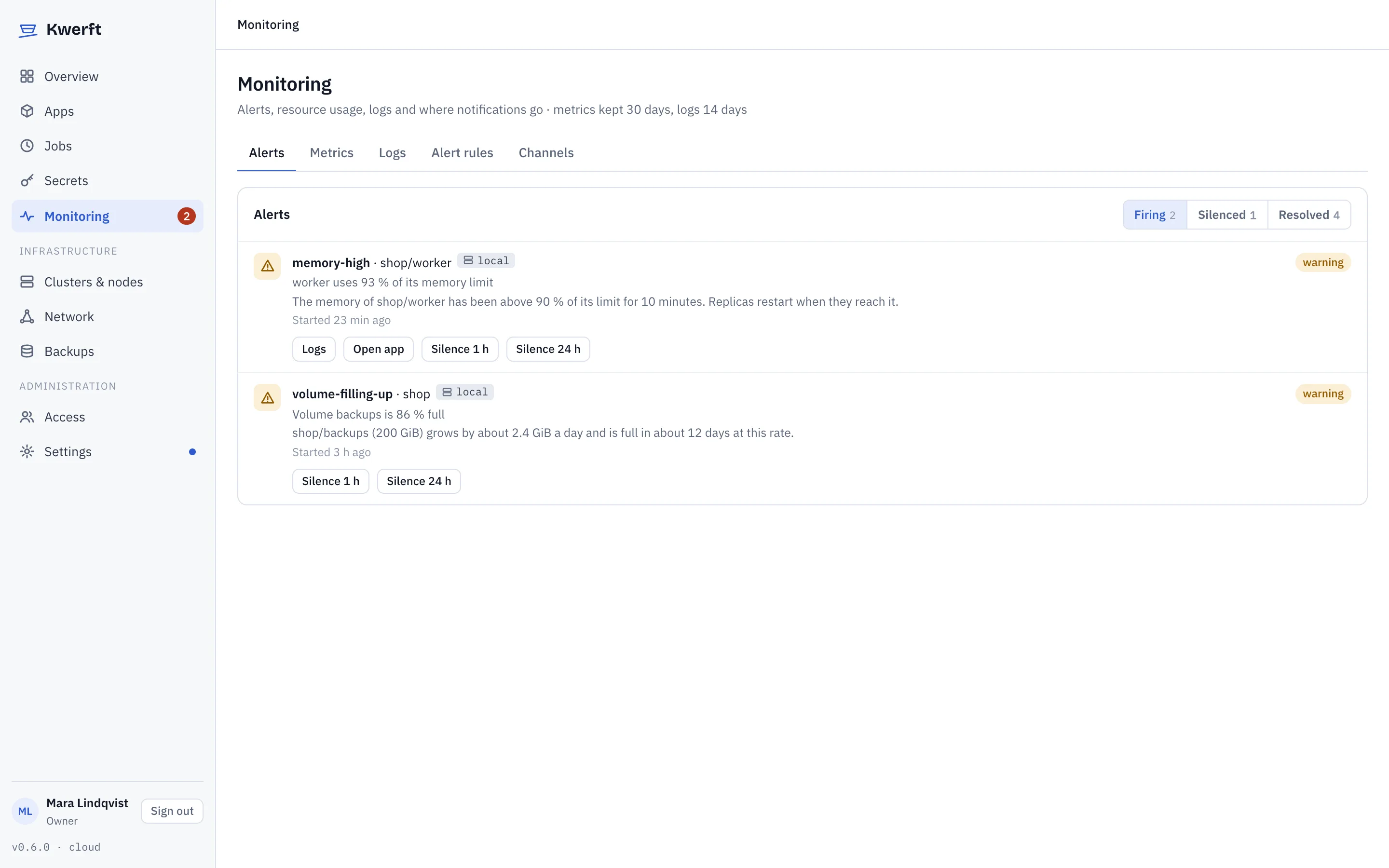
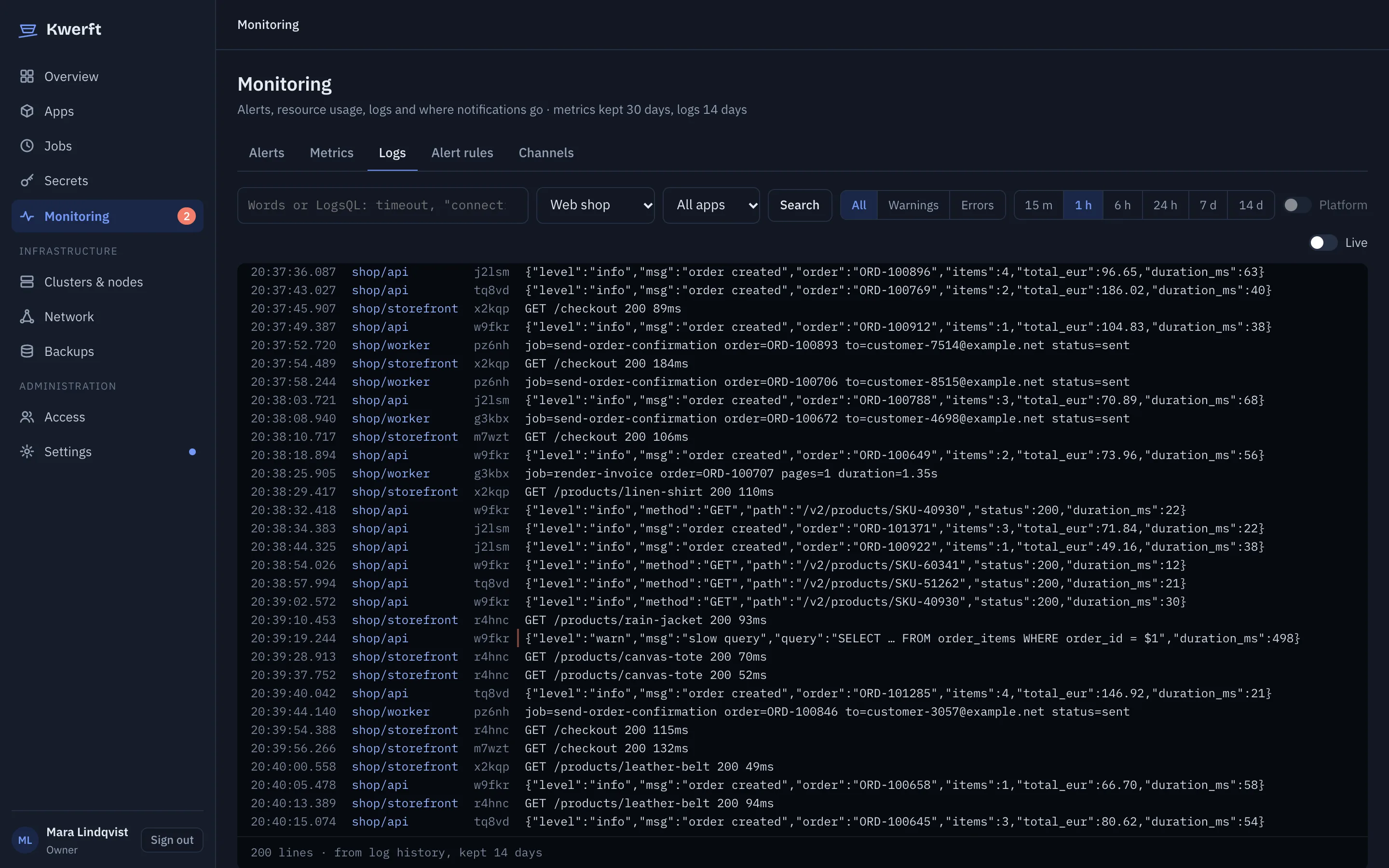
VictoriaMetrics and VictoriaLogs come with the install. Charts per app, a log search across everything you're allowed to see, and alert rules that reach Slack, email, a webhook or ntfy.

  • A crash-looping app pinged a phone 57 seconds after it was deployed
  • Default rules for crash loops, failed jobs, full disks, expiring certificates and, in v0.6, failing drives
  • Every alert links straight to the logs of what fired it
  • Thirty days of metrics and fourteen of logs by default
Two firing alerts with links to logs, the app and a silence buttonTwo firing alerts with links to logs, the app and a silence button

Network

Closed by default, open where you say

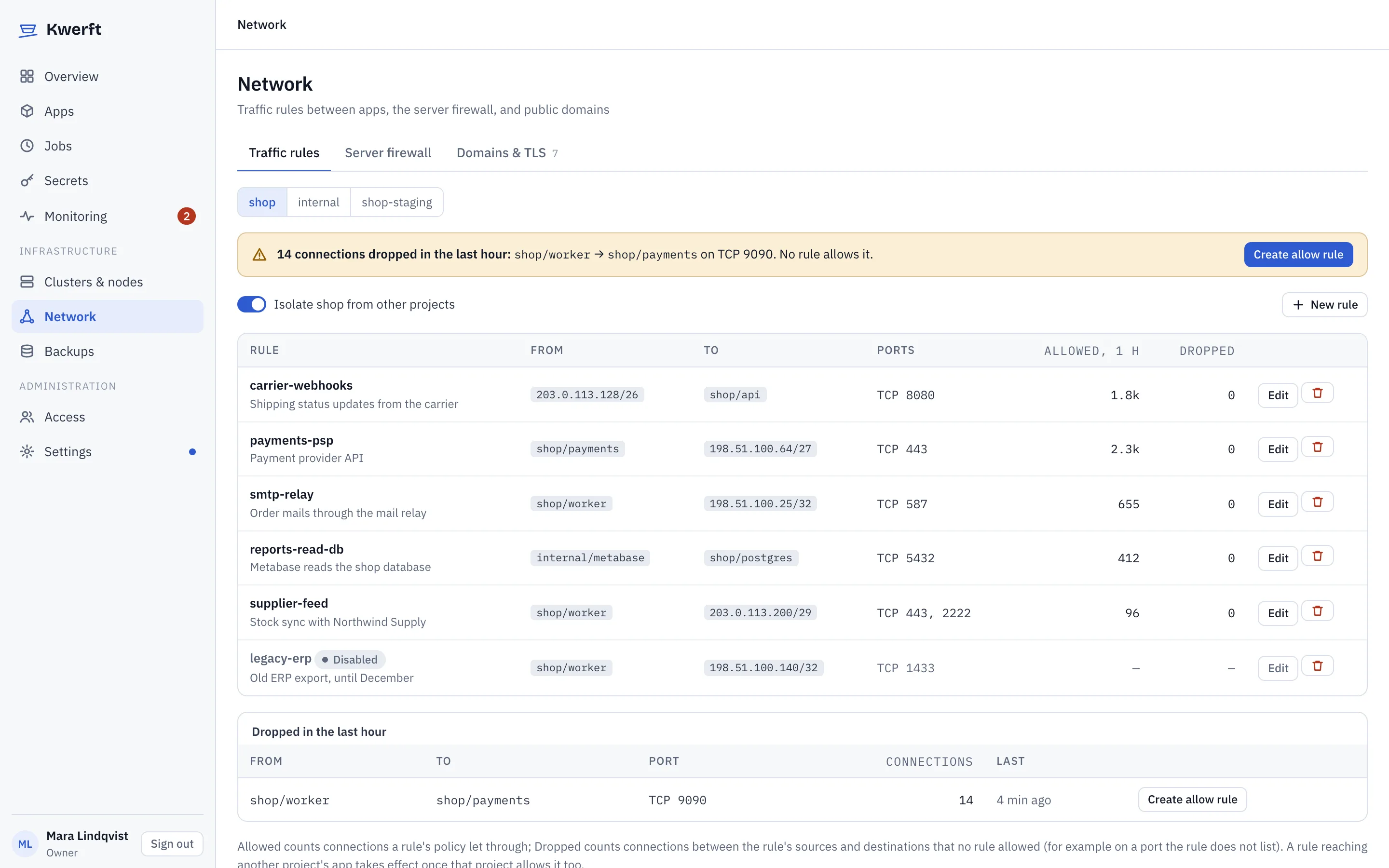
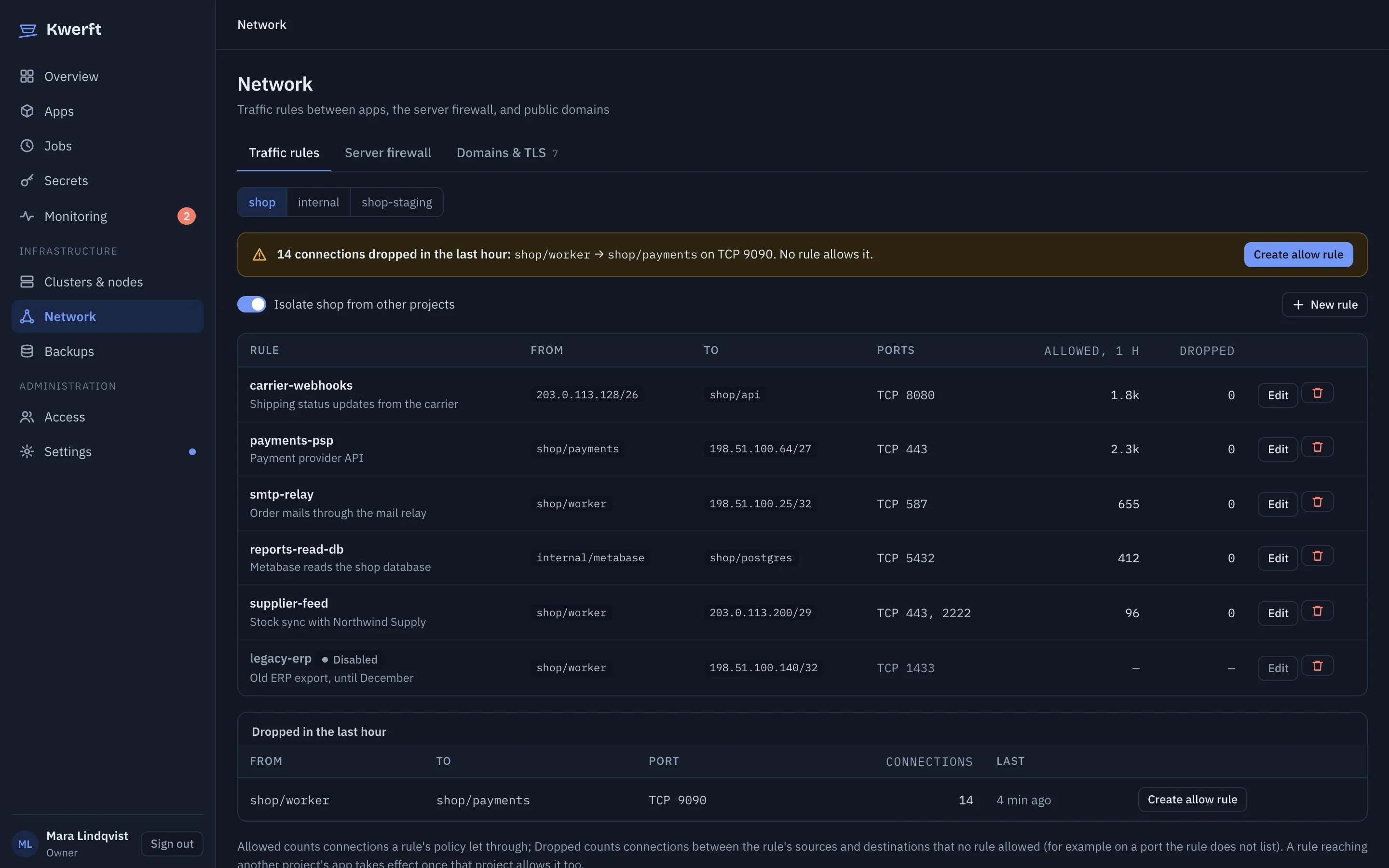
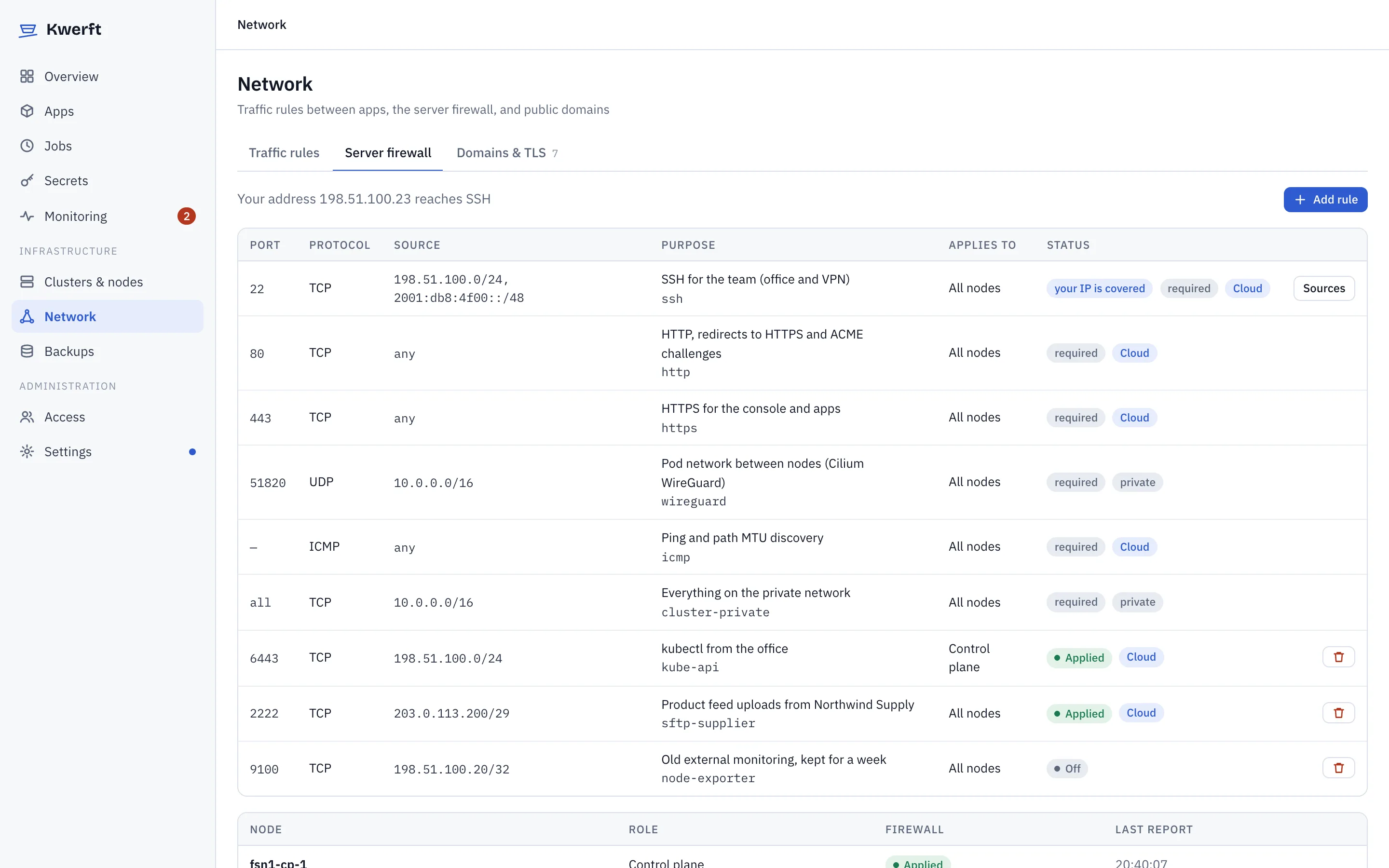
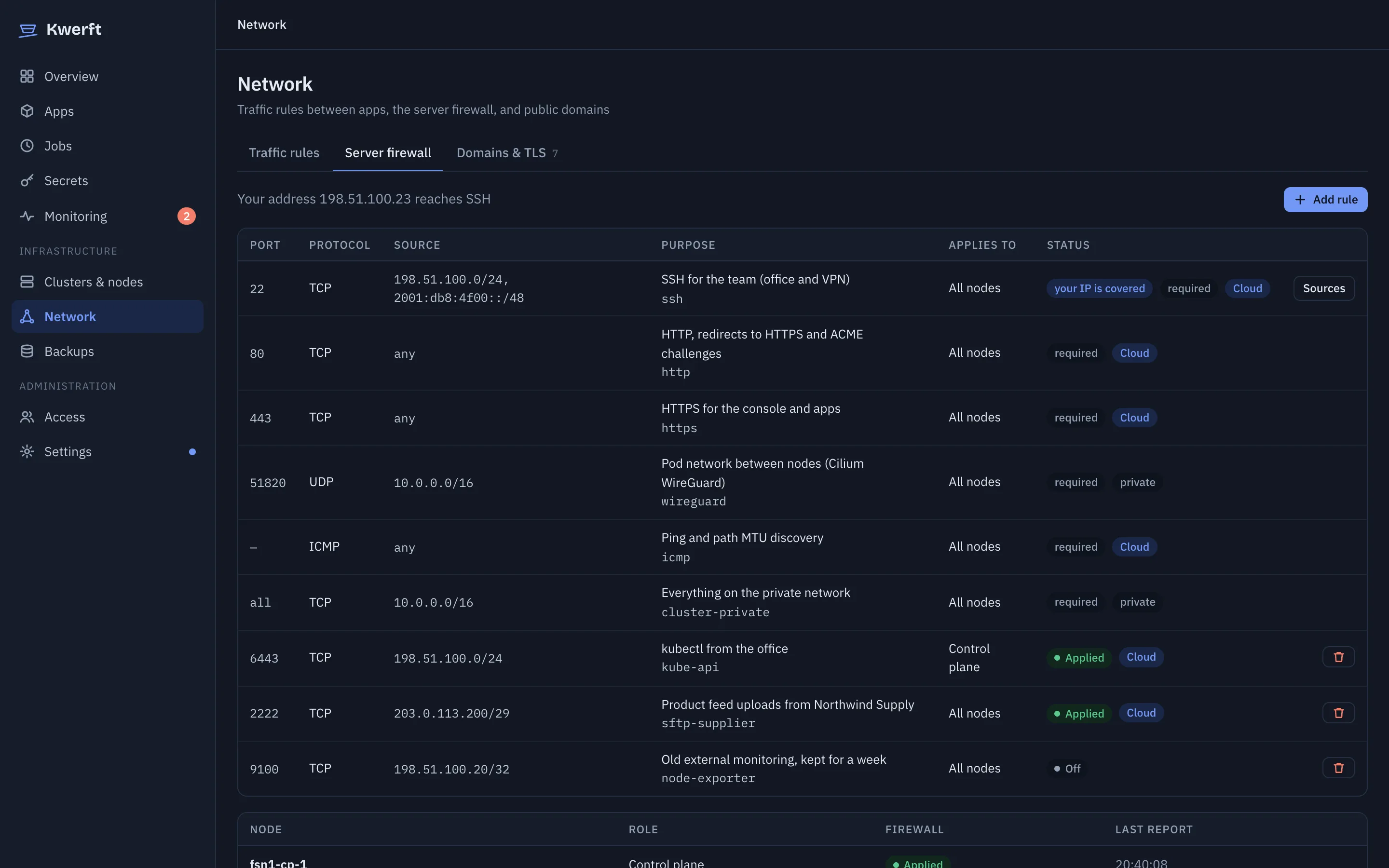
Each project is isolated from the others by Cilium. Traffic rules open exactly the paths you need, and show live allowed and dropped counts from Hubble. The server firewall is in the same place, and so are your domains and certificates.

  • One-click allow rules from dropped traffic
  • Firewall changes that could lock you out roll back after 60 seconds unless you confirm
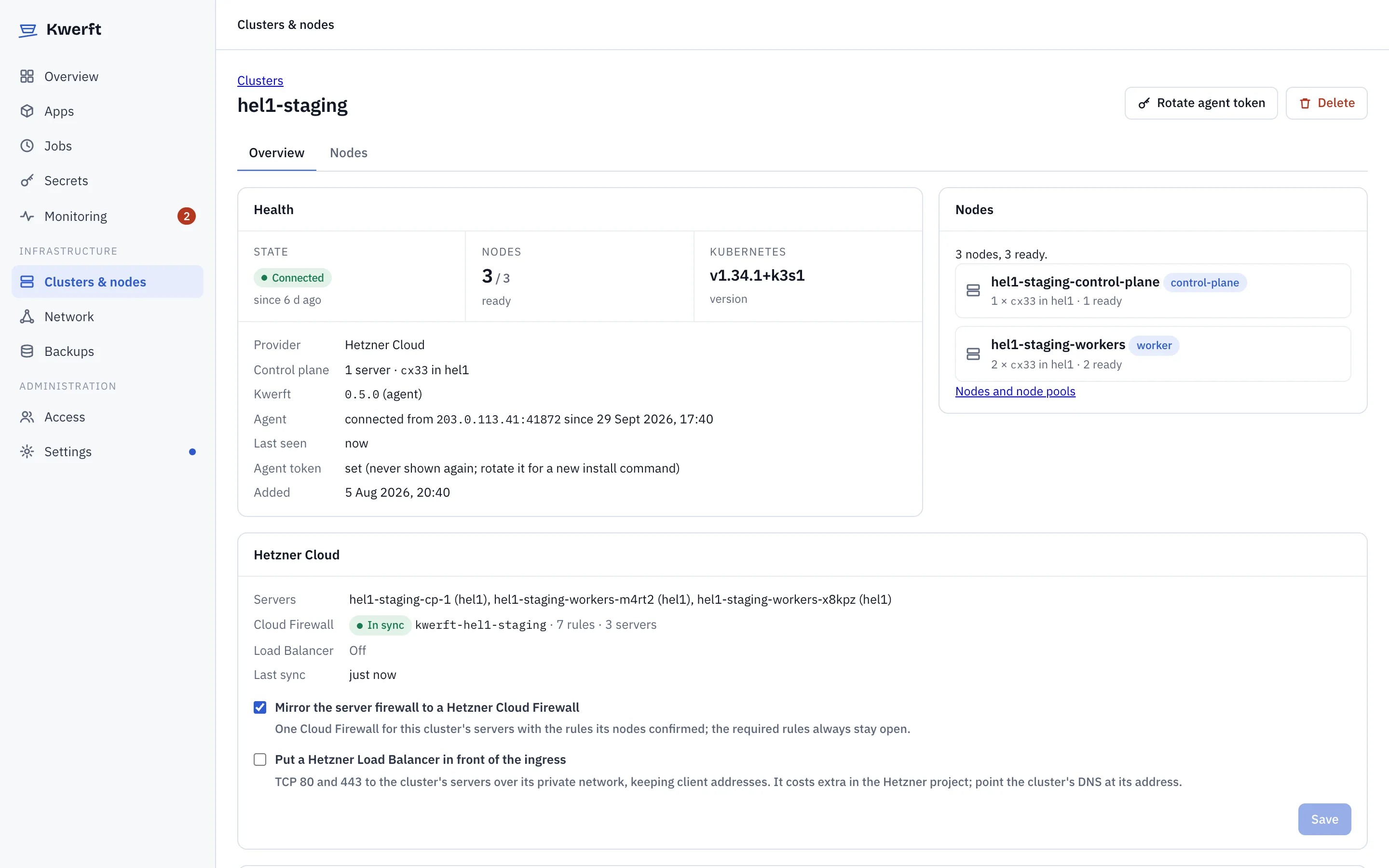
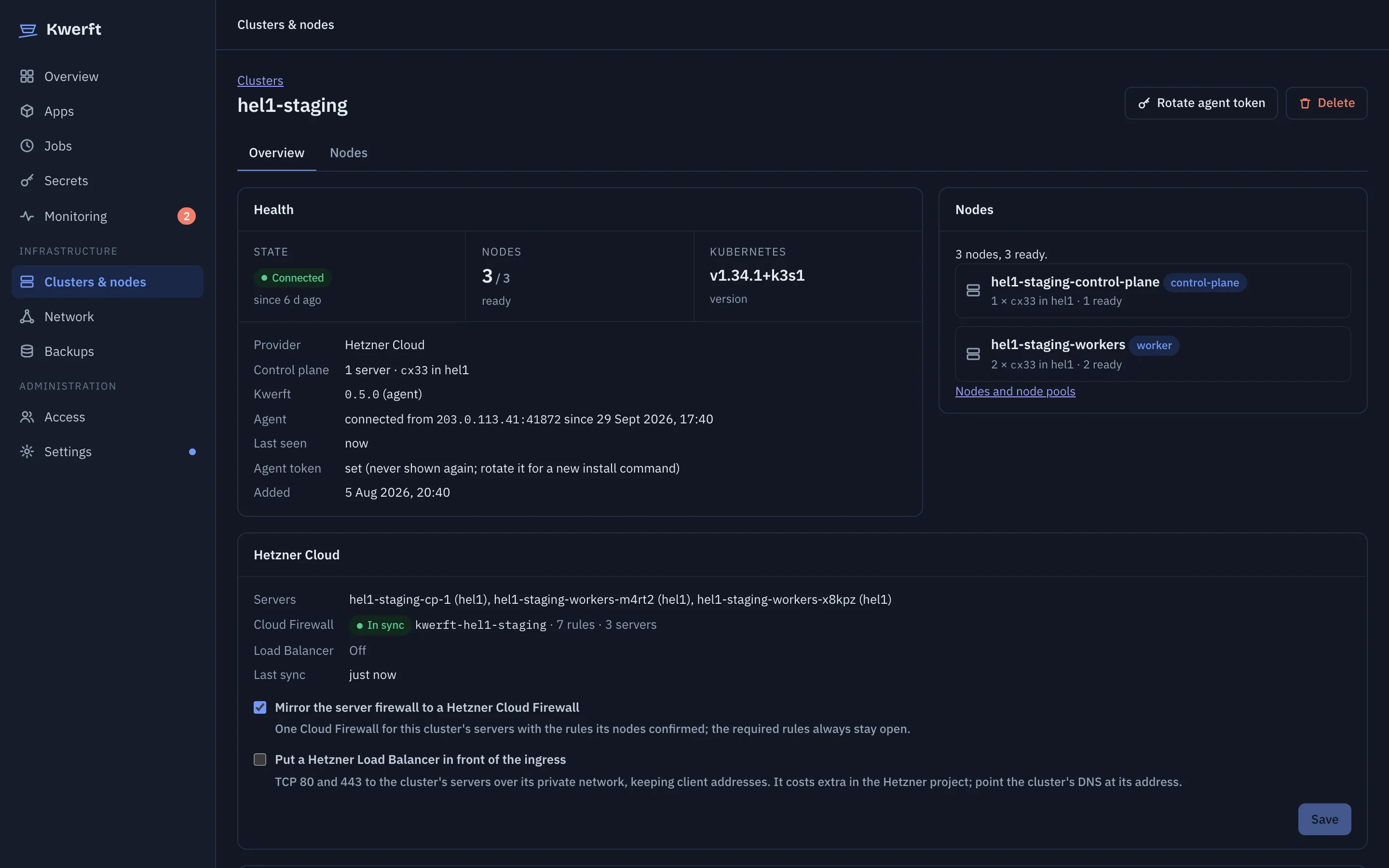
  • Hetzner Cloud Firewall kept in sync with the same rules (v0.5)
  • Let's Encrypt certificates per hostname, or one wildcard through Hetzner DNS
Traffic rules with allowed and dropped flow countsTraffic rules with allowed and dropped flow counts

Access

A team, roles and an audit trail

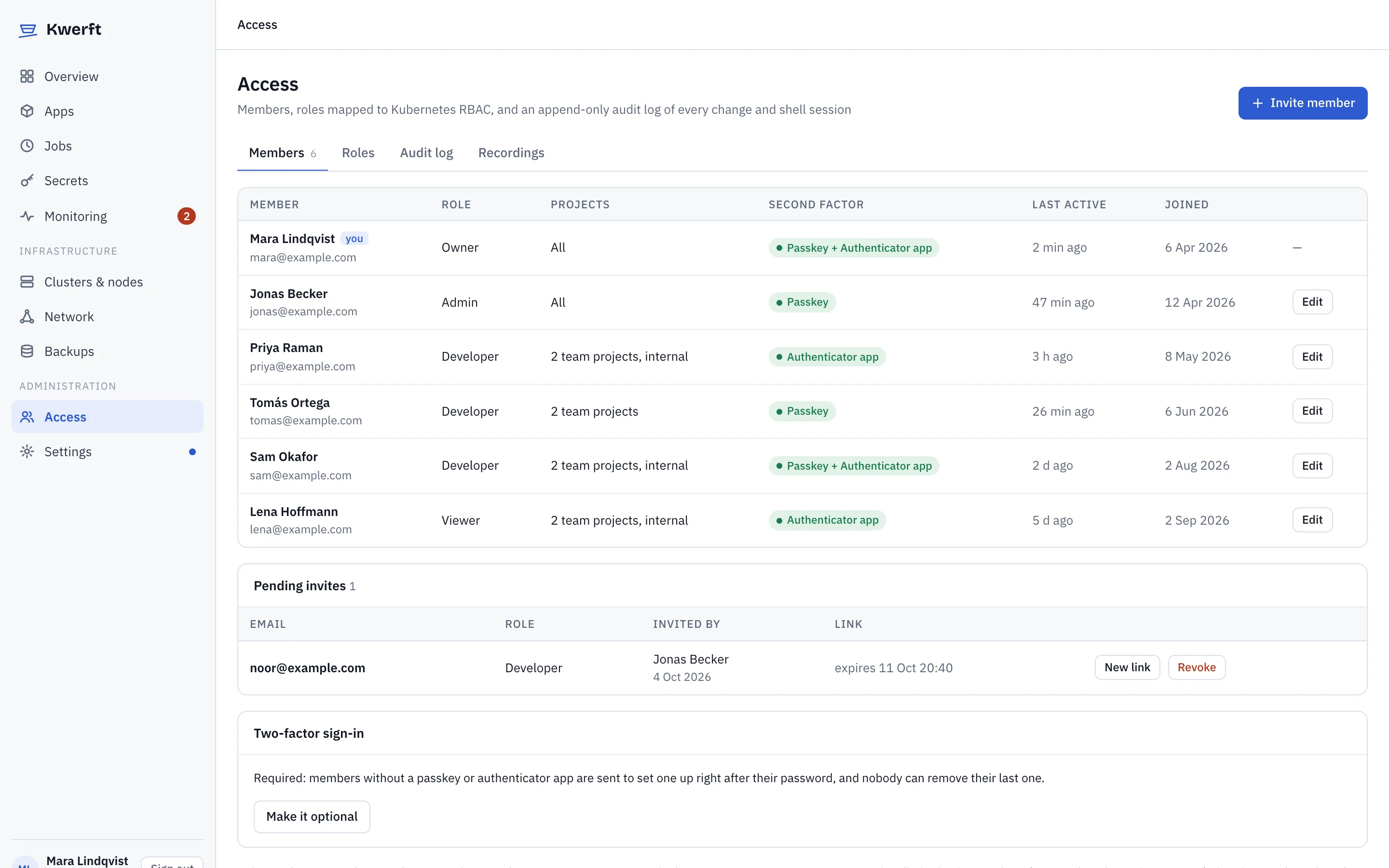
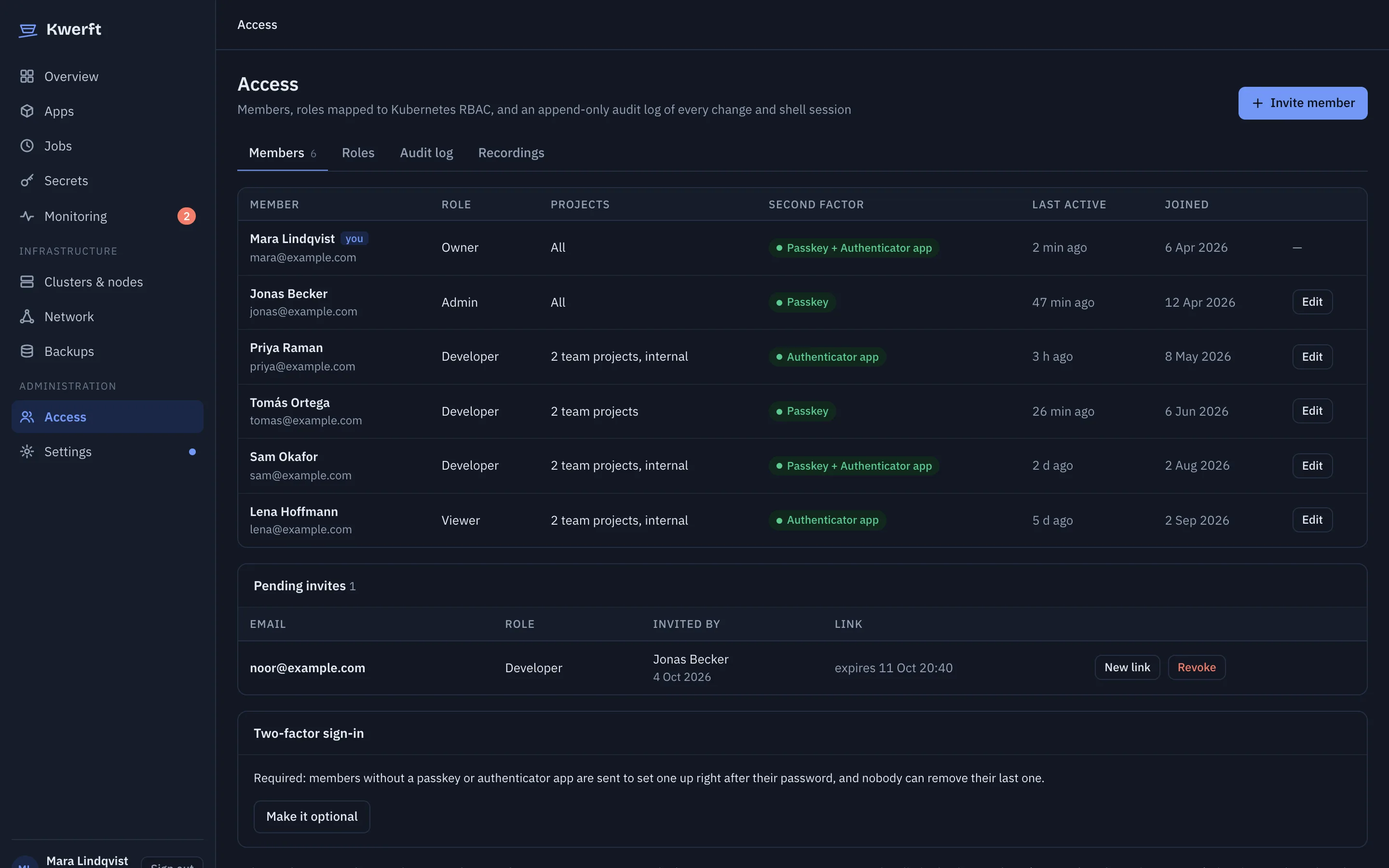
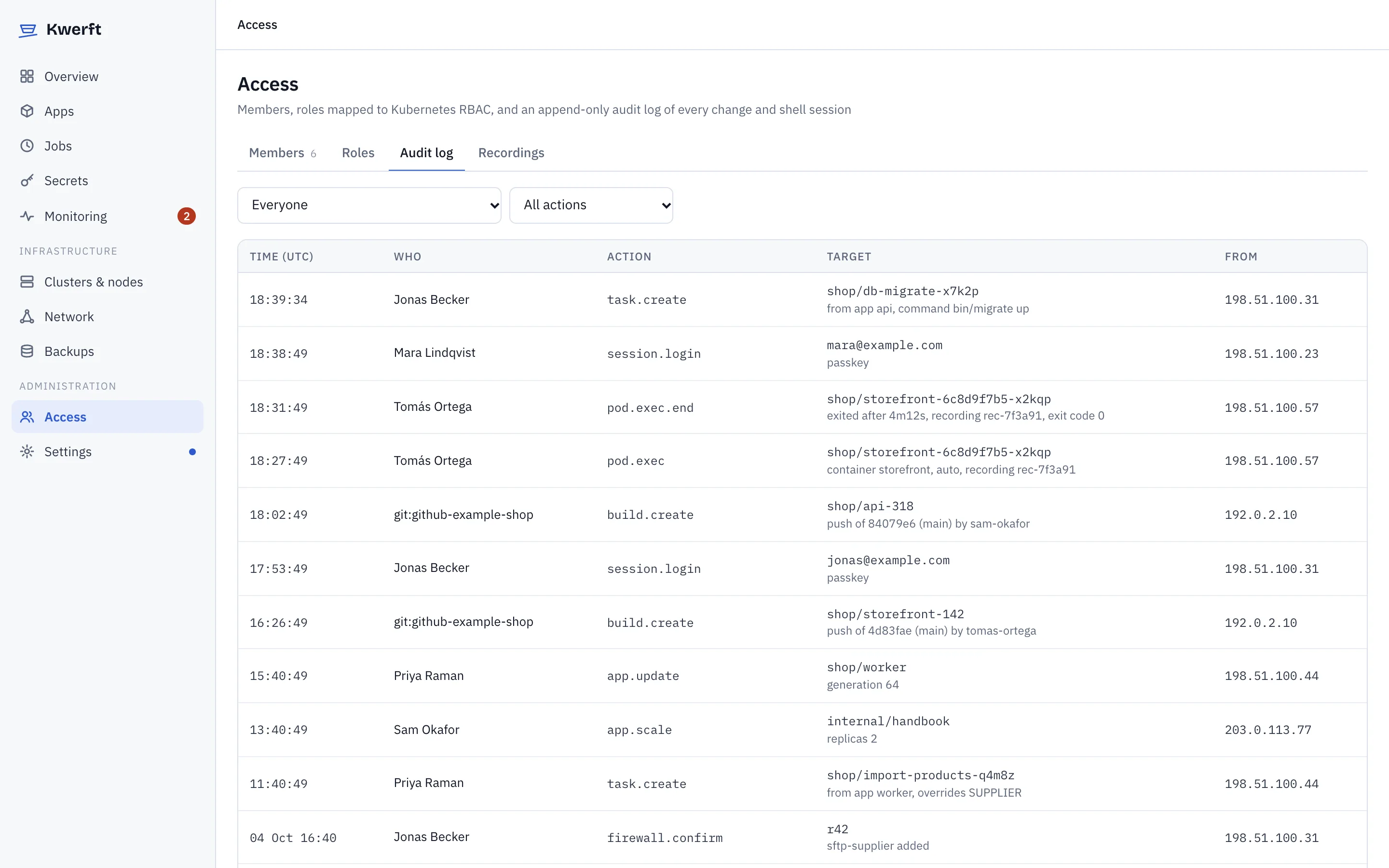
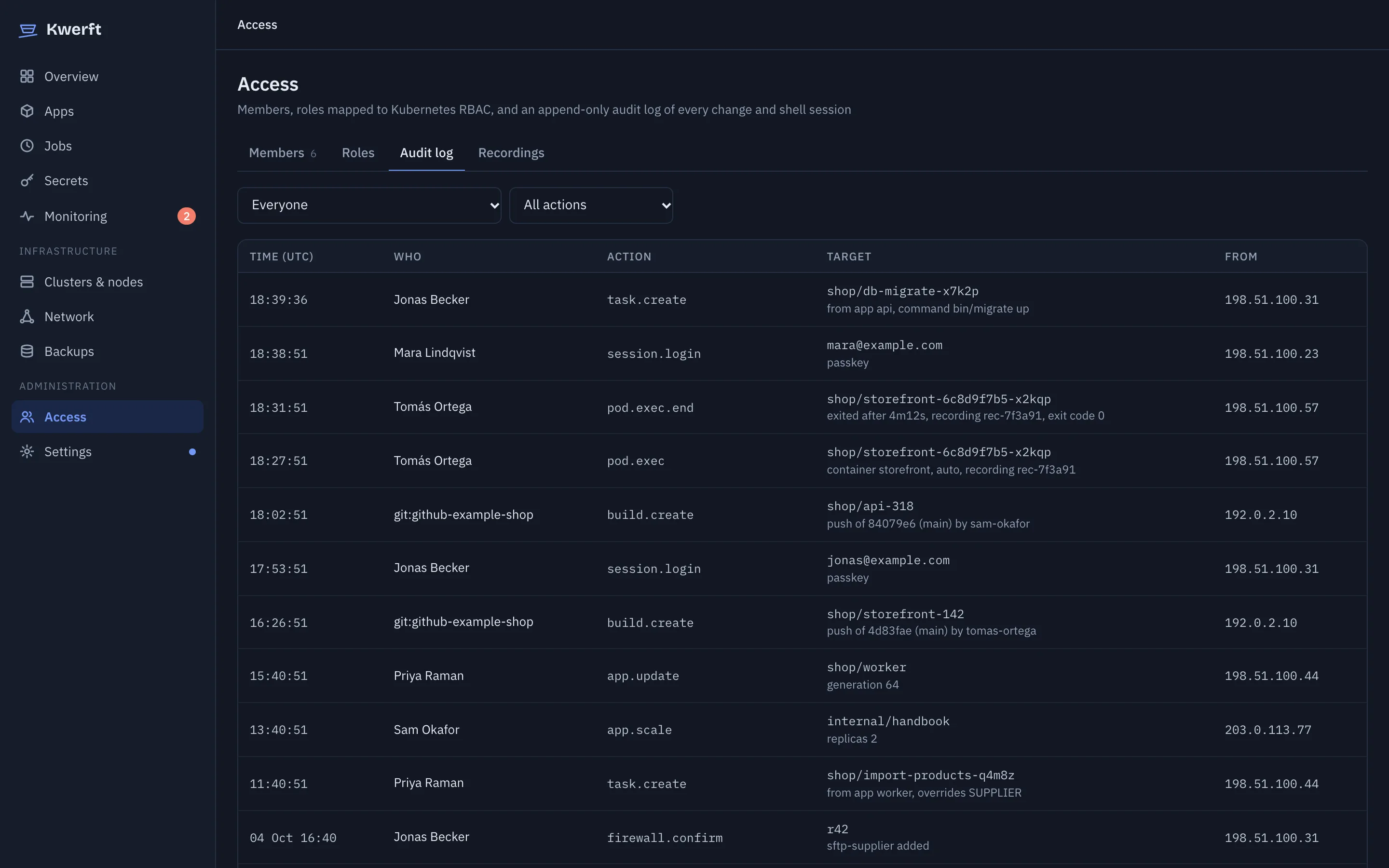
Invite people as owner, admin, developer or viewer, and limit them to the projects they work on. Every change goes to Kubernetes as the person who made it, so RBAC is the final gate and the audit log is precise.

  • Passkeys, authenticator apps and recovery codes; require two-factor for everyone
  • Single sign-on with Google, Microsoft Entra, Keycloak or any OpenID Connect provider
  • Scoped API tokens and downloadable kubeconfigs for CI and kubectl
  • Shell sessions are recorded and can be replayed in the browser
Access page listing members and their rolesAccess page listing members and their roles

Clusters & nodesv0.5

Start with one server, grow without reinstalling

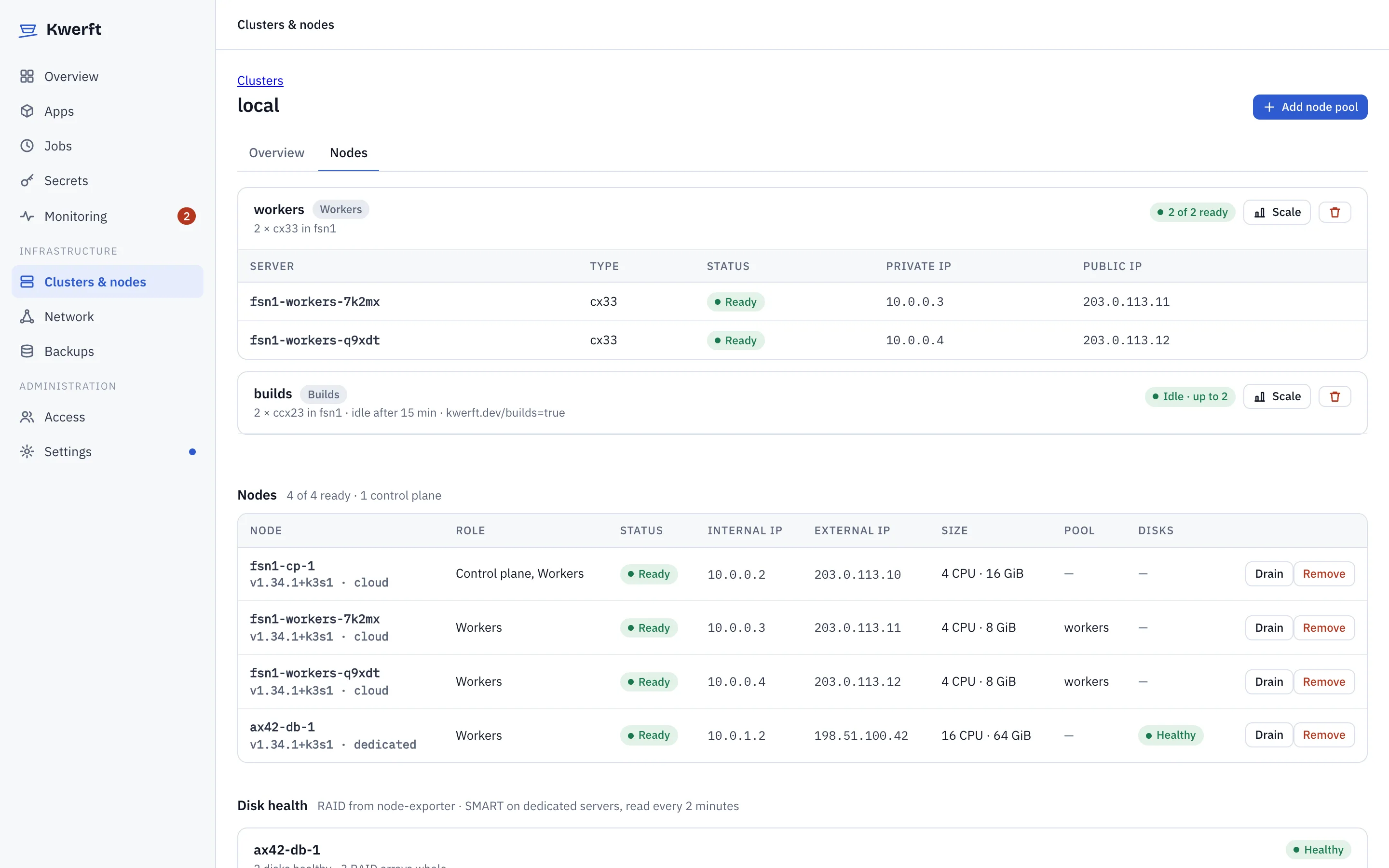
Add Hetzner Cloud servers as nodes from the console, join dedicated servers with one command, and make the control plane highly available when you need it. More clusters, in other locations or on other servers, connect to the same console.

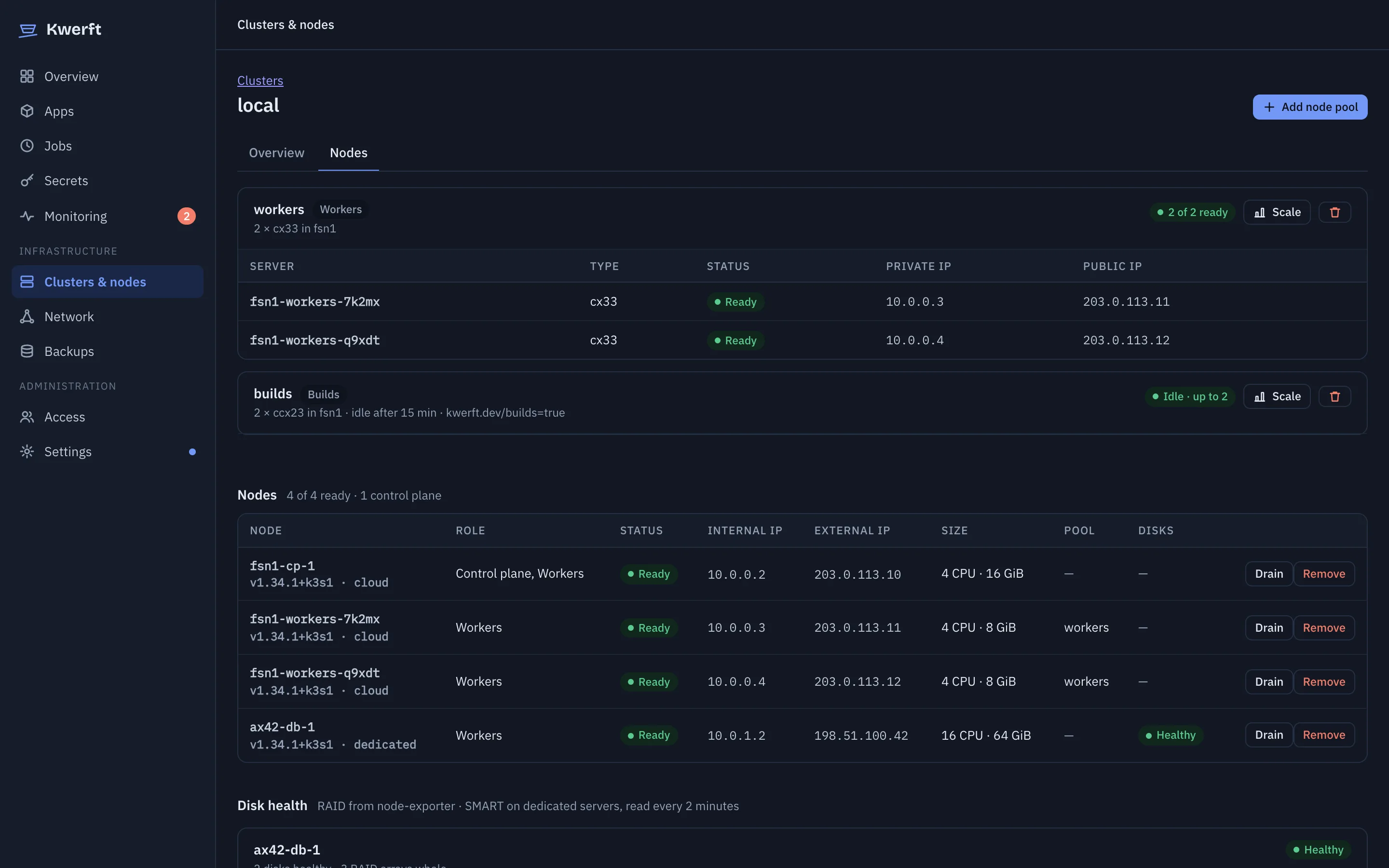
  • Node pools, including build pools that scale to zero
  • Cloud Volumes, a Hetzner Load Balancer and vSwitch coupling to dedicated servers
  • Remote clusters dial out to the console, so their Kubernetes API stays private
  • Apps on remote clusters keep their hostnames, DNS follows them
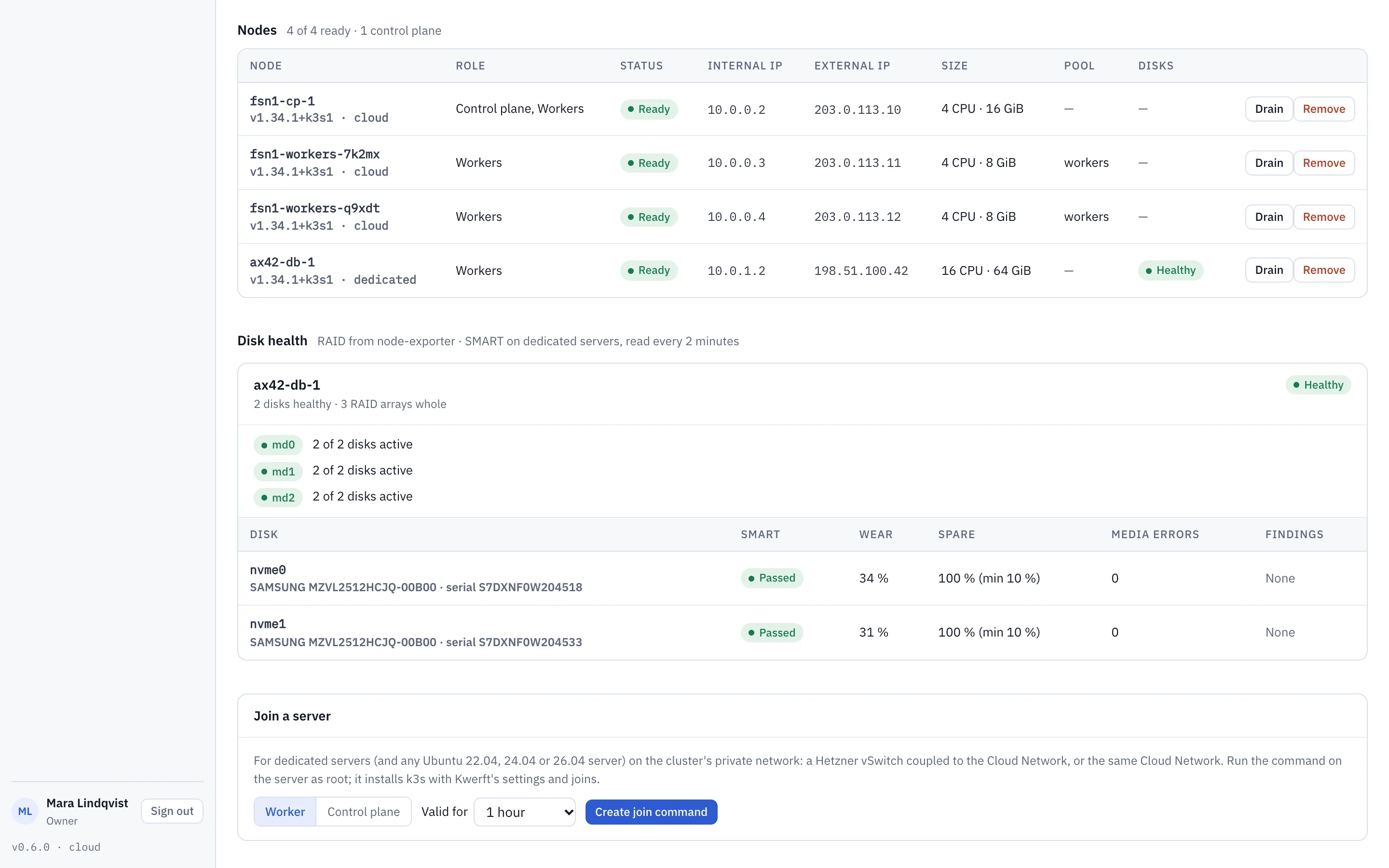
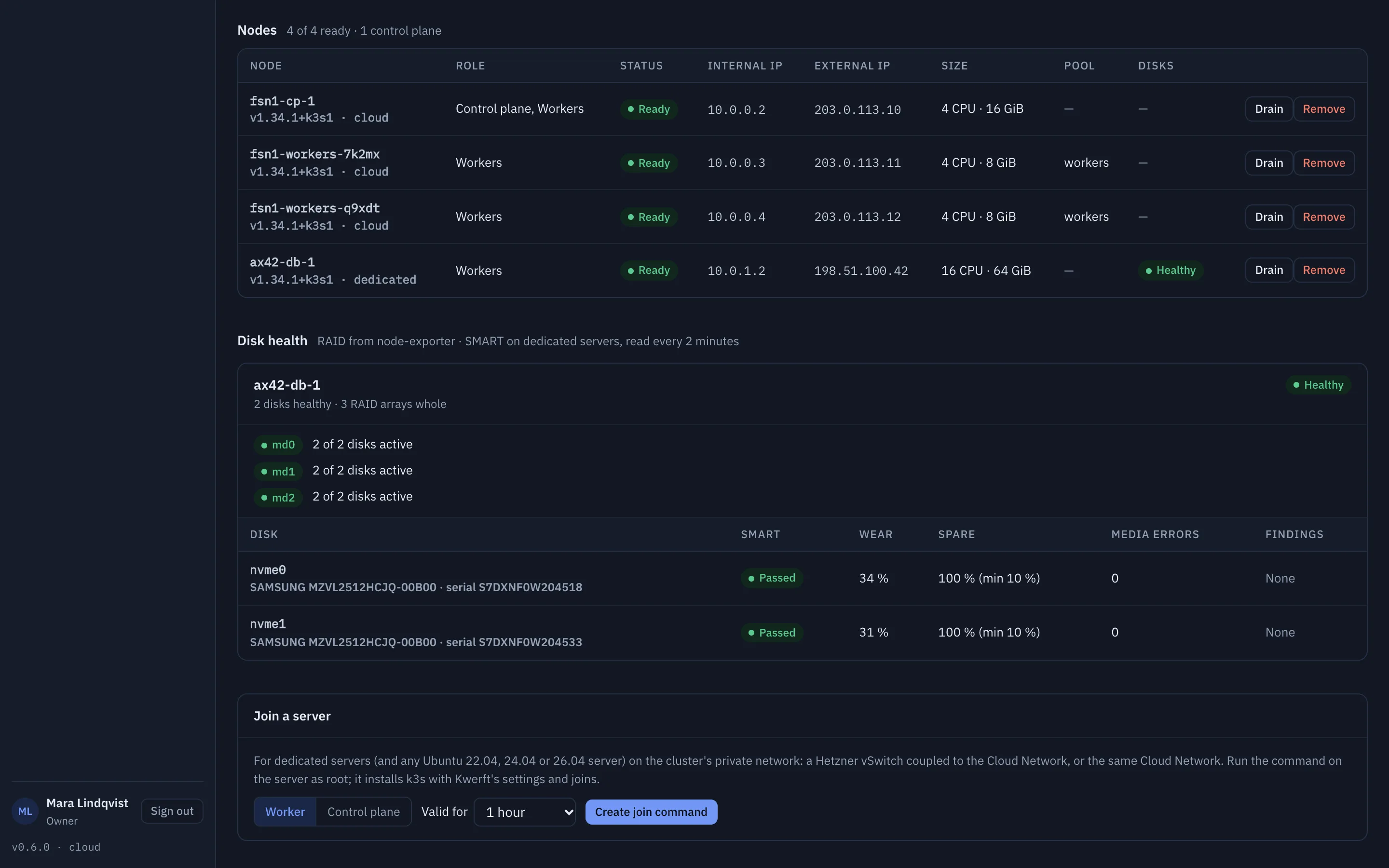
  • Disk health for dedicated servers: RAID arrays and SMART readings per node, with alerts before a drive fails (v0.6)
Node pools and nodes of the production cluster, with a disk health column for the dedicated serverNode pools and nodes of the production cluster, with a disk health column for the dedicated server

Backups & upgradesv0.6

Back up everything, upgrade from the browser

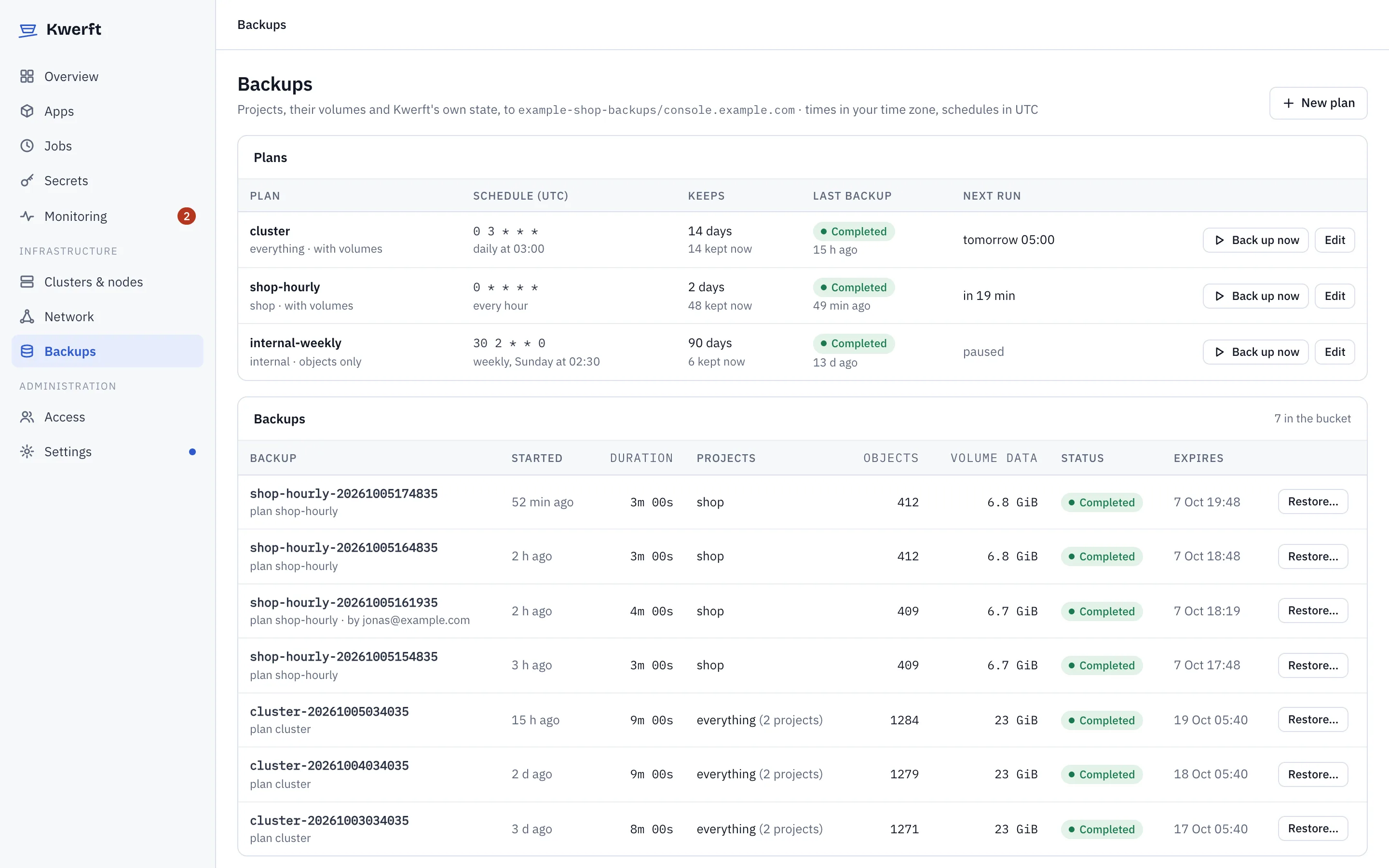
Backups go to Hetzner Object Storage, or any S3 bucket that supports customer-provided keys, encrypted with a recovery key that you keep. Upgrades of Kwerft and Kubernetes start from the console, and a Kwerft upgrade that fails its checks rolls itself back.

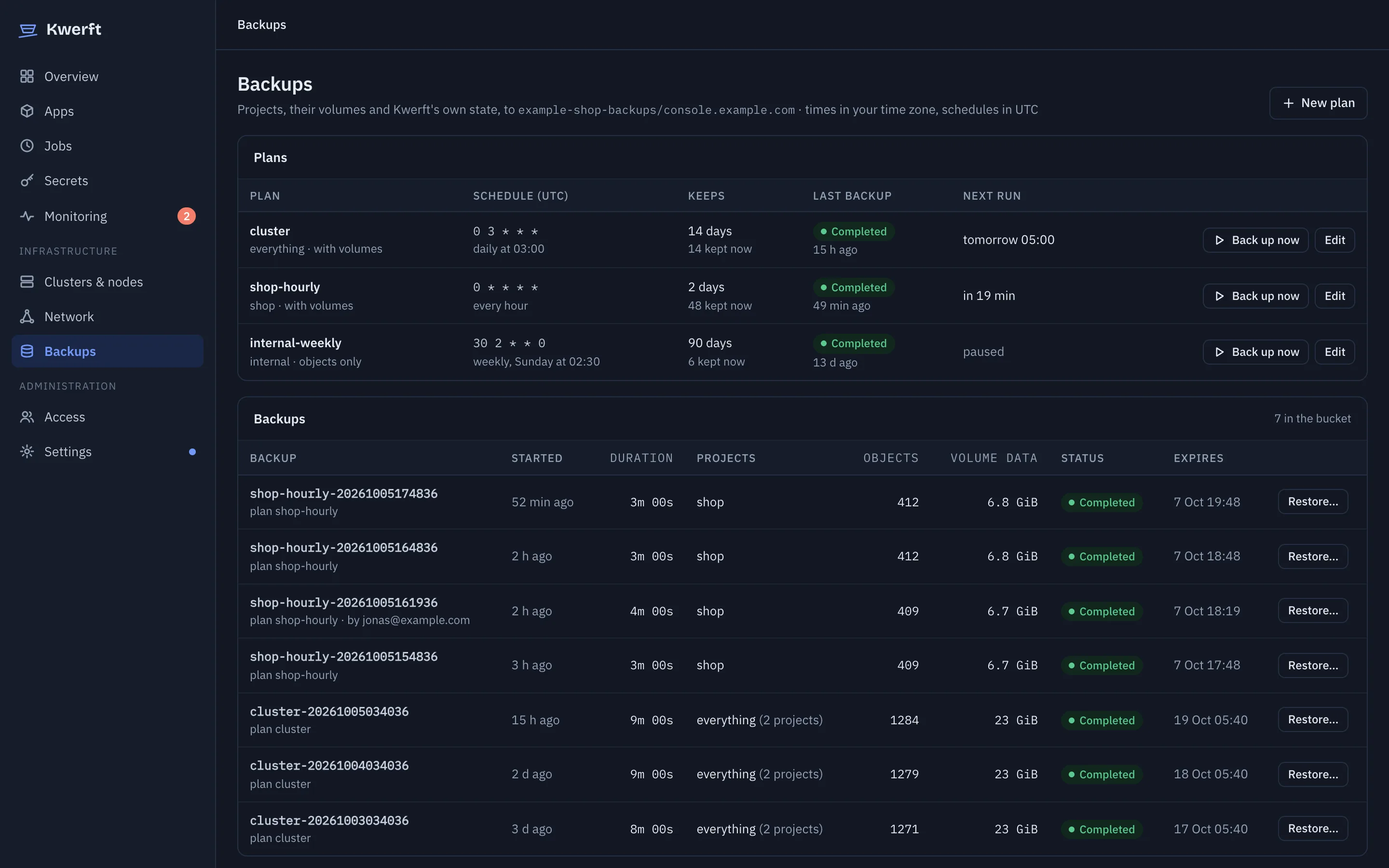
  • Projects, their volumes, built images and the console's own state, on schedules you choose
  • Restore a project or single apps in the console, or the whole cluster onto a new server with one installer command
  • A backup before every upgrade; Kubernetes upgrades one node at a time
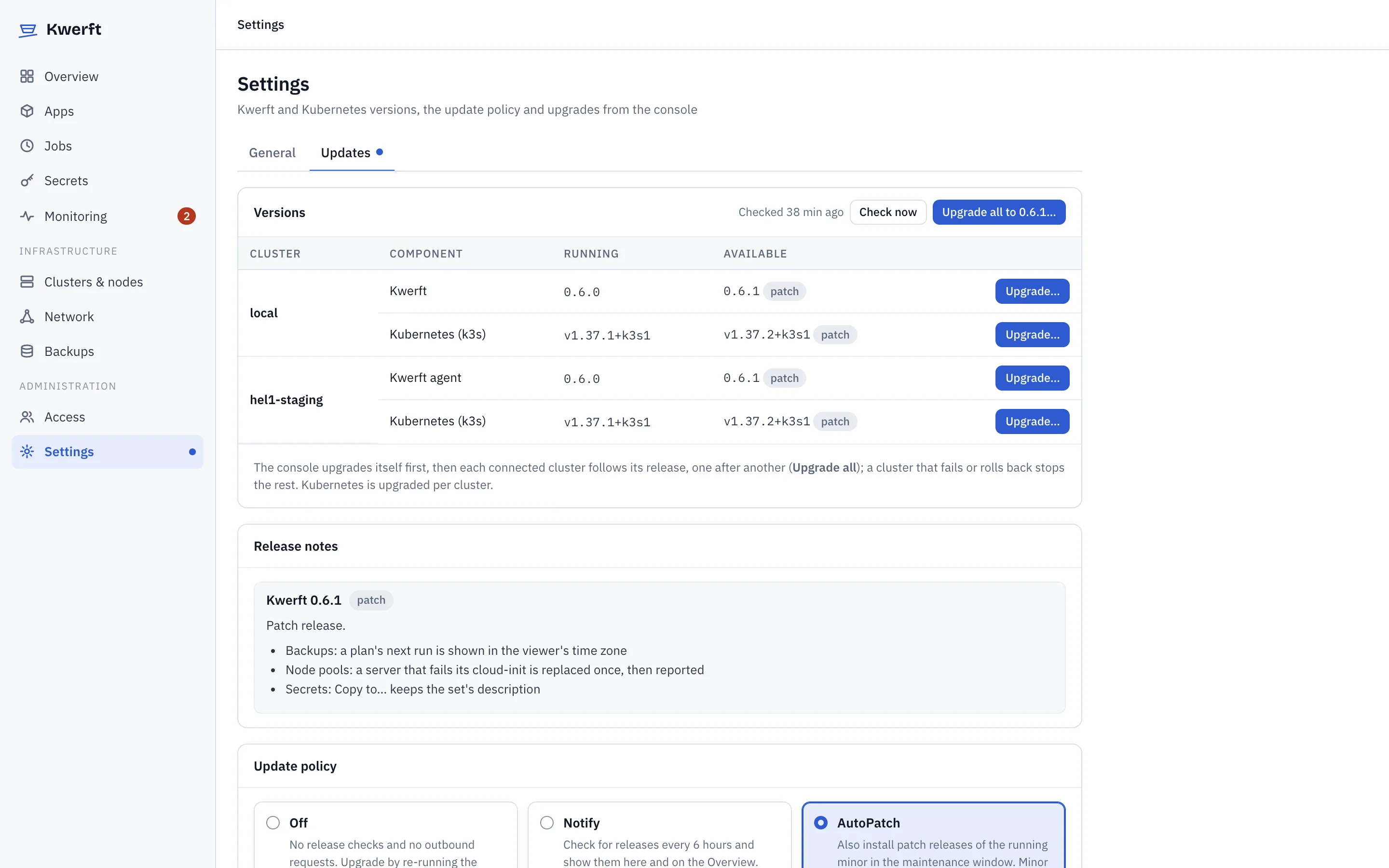
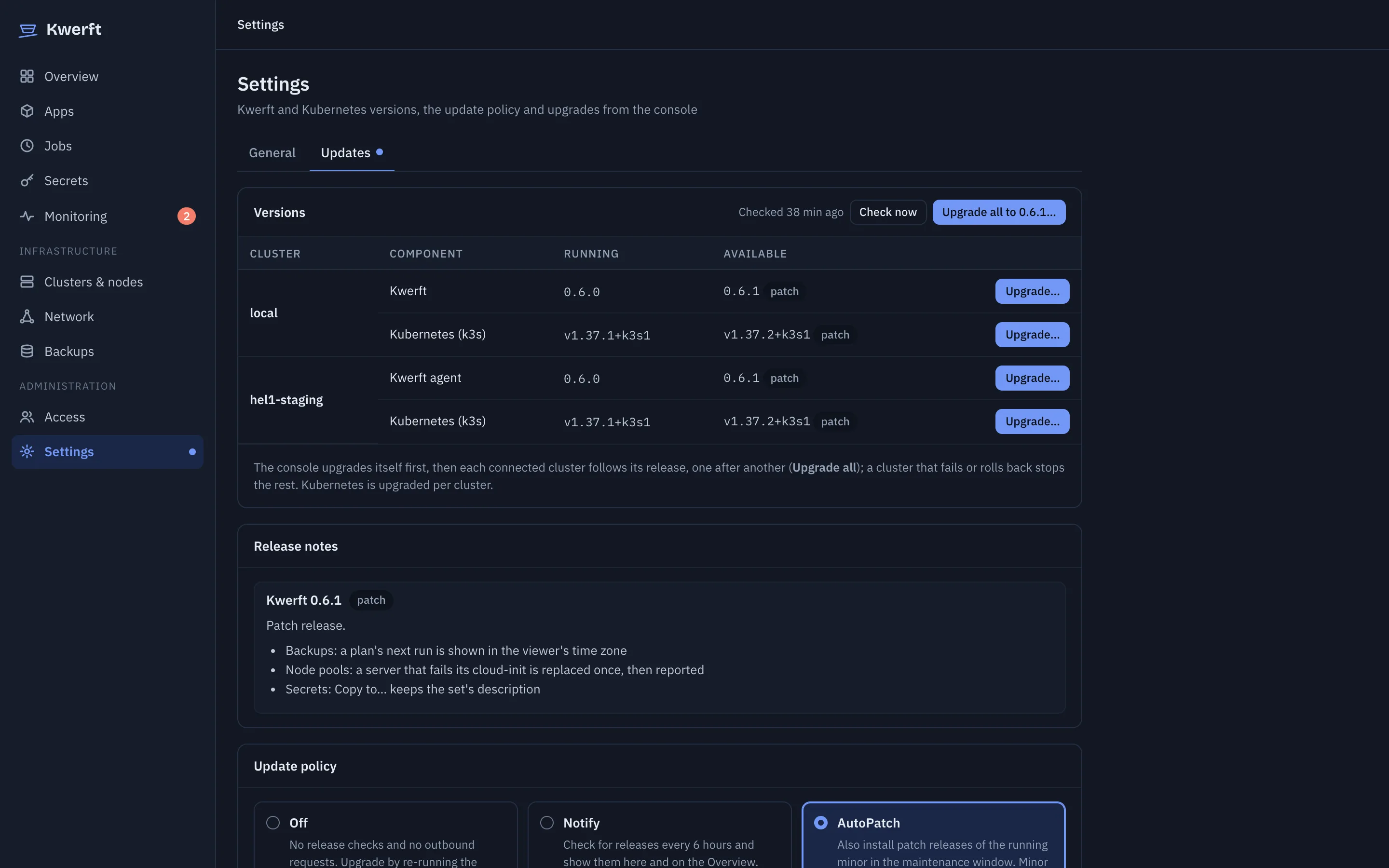
  • Upgrade all clusters in one go, or let AutoPatch install patch releases in a maintenance window
  • Upgrades from the console have run on a real server with no step by hand
Backup plans and the backups in the bucket, each with a Restore buttonBackup plans and the backups in the bucket, each with a Restore button

Under the hood

Boring, upstream parts — and a console that ties them together

Kubernetes is the database: apps, jobs, domains and rules are custom resources. The console writes them; reconcilers turn them into Deployments, routes, certificates and network policies.

That means GitOps works, kubectl works, and you can export any app as YAML. Kwerft is never a dead end.

  1. Console

    Kwerft — one Go binary: API, reconcilers, the web console, SQLite

  2. Platform

    VictoriaMetrics · VictoriaLogs · Hubble · rootless BuildKit · zot registry · Velero · system-upgrade-controller

  3. Edge

    Traefik on :80/:443 via Gateway API · cert-manager · Let's Encrypt

  4. Kubernetes

    k3s with embedded etcd and secrets encryption · Cilium with WireGuard

  5. Host

    Ubuntu 22.04, 24.04 or 26.04 · nftables firewall · unattended upgrades

  6. Hetzner

    Cloud API · Robot · DNS · Cloud Volumes · Load Balancers · Object Storage

Security

Assume the server is on the open internet, because it is

No default passwords

The console stays locked until someone presents the single-use setup token from the server's disk.

Acts as you

The console reaches Kubernetes impersonating the signed-in user. Its own account can't do what you can't.

Private Kubernetes API

Only ports 22, 80 and 443 are public. kubectl goes through the console's proxy with a scoped, expiring token.

Isolated projects

Default-deny network policies between projects, WireGuard between nodes, and a test suite that proves the isolation.

Encrypted at rest

Kubernetes secrets are encrypted by k3s, and secret values are write-only in the console. Second-factor secrets are sealed with a key you can rotate.

Recorded shells

Shell access is role-gated, time-limited and recorded. Every change lands in the audit log.

Encrypted backups v0.6

Everything Kwerft writes to the bucket is encrypted with keys derived from a recovery key that you keep. Volume data is encrypted before it leaves the server.

Upgrades that check themselves v0.6

A Kwerft upgrade checks the release's checksums first, and only finishes when the console, its certificate and every app are as healthy as before. Otherwise it rolls back.

Open source

Kwerft is licensed under the AGPL-3.0 and its code is on GitHub. Read what runs on your servers.

Read the security model →

Status

Working today, heading for a public beta

Kwerft runs production workloads on Hetzner Cloud and dedicated servers already. It's pre-beta: expect fast releases and the occasional rough edge. It's open source under the AGPL-3.0, with the code on GitHub.

The default install command installs the latest stable release, v0.4.0. To try the release candidates, pin v0.6.0-rc.9.

Available

  • Installer for Cloud and dedicated servers
  • Apps from images and Git, jobs, volumes, domains
  • Metrics, logs, alerts
  • Traffic rules and the server firewall
  • Roles, project access, SSO, API tokens

In v0.5 release candidate

  • Hetzner Cloud servers as nodes, HA control plane
  • Multiple clusters through an agent
  • Cloud Firewall, Cloud Volumes, Load Balancer

In v0.6 release candidate

  • Encrypted backups and a full restore onto a new server
  • Upgrades of Kwerft and Kubernetes from the console, with rollback
  • Secret sets in the console
  • Docker Compose import and templates
  • An infrastructure map of each cluster on the Overview
  • Disk health for dedicated servers: RAID, SMART, alerts

Next, before the beta

  • A full restore onto a new server, proven on real Hetzner servers
  • Kubernetes upgrades and a cluster losing a node, tested on real servers

After the beta

  • Kwerft for Mac: the same platform locally, push a project to a server unchanged

Support & hosting

Rather not run the console yourself?

Kwerft stays free and complete to self-host. For teams that want more, we're starting a hosted console that manages your own Hetzner servers, and support subscriptions with agreed response times.

Your first app can be live in ten minutes

All you need is a Hetzner server and, ideally, a domain.

curl -fsSL https://kwerft.dev/install.sh | sudo bash -s -- \
  --domain ops.example.com --email ops@example.com --yes